p.1 #1 · Leica Sync app: Transfer files wirelessly from your Leica M10 series
I'd like to share a very cool app called Leica Sync. This is an application for macOS that makes it possible to download images wirelessly from your Leica M10 series camera that support WiFi connections using the PTP/IP protocol.
I've been using it for a couple of weeks and it works so well that I rarely remove the bottom plate to access the SD card. It allows me to transfer DNG files wirelessly to my Mac and subsequently to Lightroom.
Here is my workflow:
On the camera's menu, click on "Leica FOTOS". Wait about 30 seconds until the QR code appears:
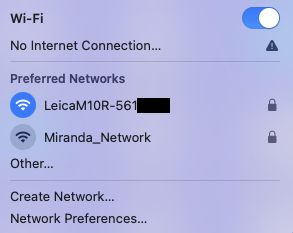
Once you see the QR code, go to your Mac's wireless icon and select your camera's wifi name:
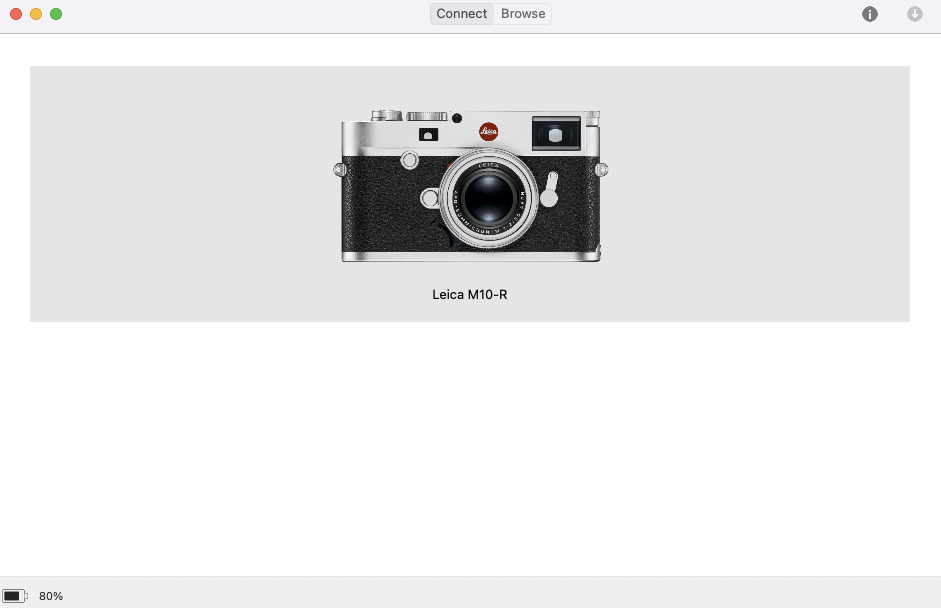
When connected, launch the Leica Sync app:
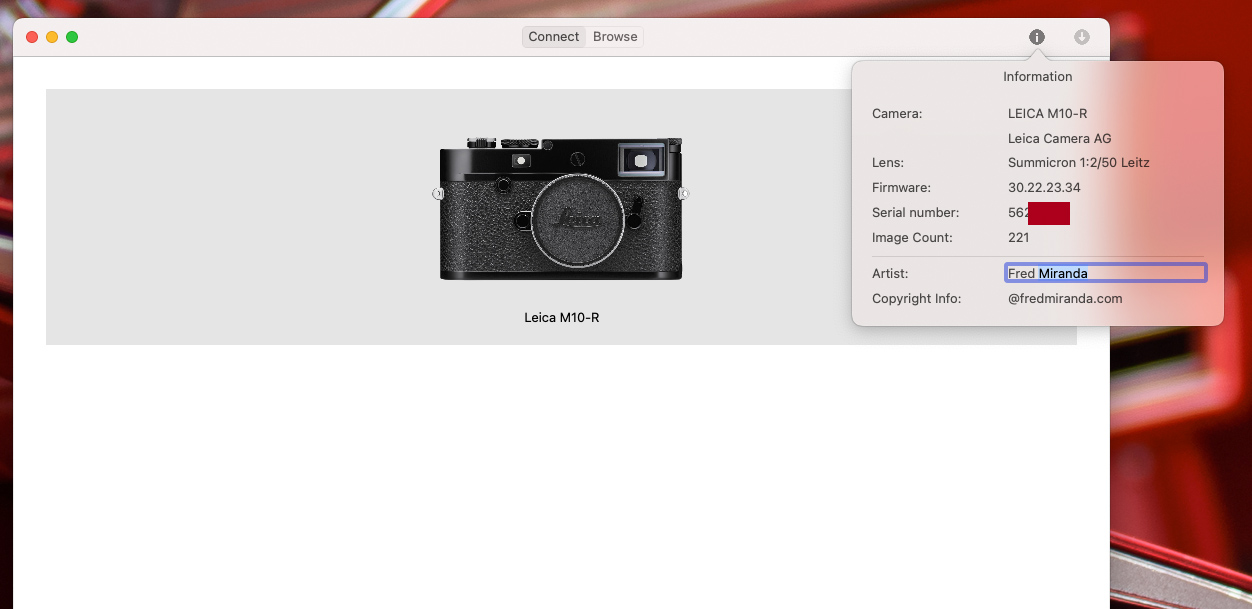
Click on the info "I" icon to the top right to see your camera information. You can even see the "Image Count" which is not possible with any other application since it requires a PTP/IP protocol connection.
Click on "Browse" to preview the images from your camera's SD card. Select the file(s) and click on "Download":
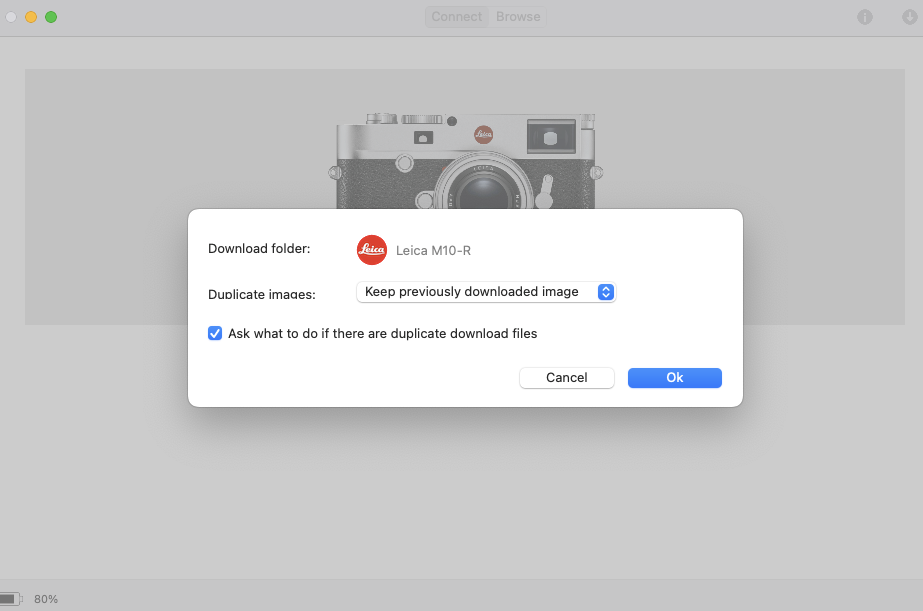
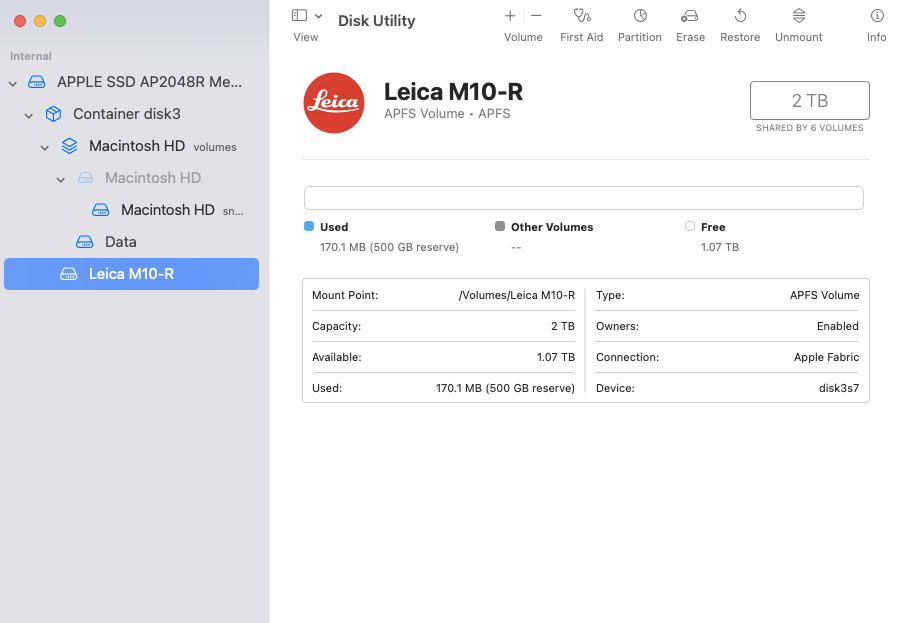
The app preferences allows the user to select a "Download folder". I've chosen to create a dedicated volume on my Mac just for this task. This is how I did it:
Go to Disk Utility and create a new volume. I've named it "Leica M10-R" and gave a 500 GB reserve size:
That's the location I selected to download my images from Leica Sync. Since it's only a temporary location, I regularly delete the images from there since the files will reside in my LR catalog.
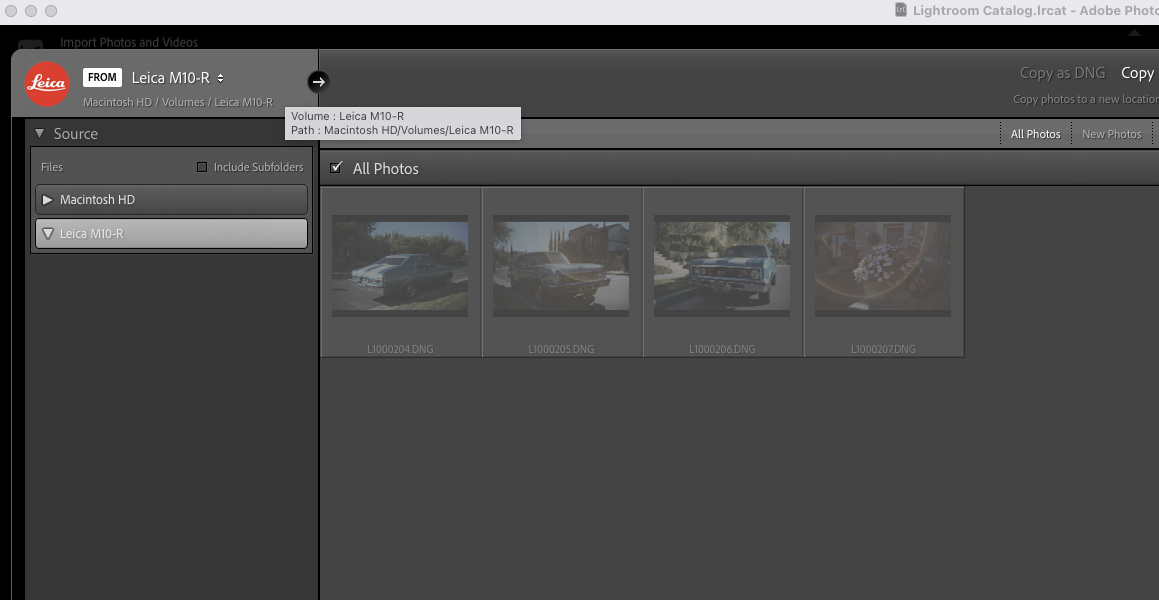
Lightroom recognizes this drive and it's now easy to find it and copy the images:
I hope some of you find this info helpful. I have no affiliation with the developer but really like this app!
From the developer:
The software is provided free of charge but is equally free of warranty: use is at your own risk.
Leica Sync requires an Apple computer running macOS 10.11 or newer, together with a compatible Leica camera. It was written by myself as a solution to a problem that I had when traveling: it is not endorsed or supported in any way by Leica Camera AG.
p.1 #2 · Leica Sync app: Transfer files wirelessly from your Leica M10 series
Now that I'm using this wireless method to transfer DNGs to my Mac, I've noticed that sometimes, the Wi-FI QR code does not appear. The wheel keeps spinning and spinning...It already happened a couple times for me. Turning the camera off and on fixes it.
Has anyone experienced the QR code not showing up when transferring images to the FOTOS app?
p.1 #4 · Leica Sync app: Transfer files wirelessly from your Leica M10 series
ocie wrote:
That's killer. Have any idea if there's something life this for windows?
I have a feeling this will be Mac only. It would be possible to emulate the FOTOS app on the PC (Mac and Windows) but the problem is that the PC can't take the picture of the QR code and that's required to register the camera with the app.
I have an android emulator app running on my Mac and that's the step I can't pass in order to use FOTOS on my Macbook.
p.1 #5 · Leica Sync app: Transfer files wirelessly from your Leica M10 series
Fred Miranda wrote:
I have a feeling this will be Mac only. It would be possible to emulate the FOTOS app on the PC (Mac and Windows) but the problem is that the PC can't take the picture of the QR code and that's required to register the camera with the app.
I have an android emulator app running on my Mac and that's the step I can't pass in order to use FOTOS on my Macbook.
p.1 #6 · Leica Sync app: Transfer files wirelessly from your Leica M10 series
Today, I found out that you can actually edit the copyright information using the Leica Sync app. This means you don't have to go through the cumbersome camera menu to do it.
p.1 #7 · Leica Sync app: Transfer files wirelessly from your Leica M10 series
Does anyone have the newest version 1.4? My computer crashed, and I lost it. When I tried to download it from the website, the file is no longer there. Thanks in advance!
p.1 #8 · Leica Sync app: Transfer files wirelessly from your Leica M10 series
Fred Miranda wrote:
Does anyone have the newest version 1.4? My computer crashed, and I lost it. When I tried to download it from the website, the file is no longer there. Thanks in advance!
p.1 #10 · Leica Sync app: Transfer files wirelessly from your Leica M10 series
Fred Miranda wrote:
Thank you so much! You saved me. I use this app daily.
For some reason the download page was removed from the site.
You're welcome! I'm not sure if you were able to access but I did grant permissions to the file for you in the case you were not able to access it. I use the app daily as well - fortunately I save all my dmg files
p.1 #11 · Leica Sync app: Transfer files wirelessly from your Leica M10 series
It's a shame this app isn't regularly updated, though it still works perfectly with the M10-P Safari and M10-R. The only drawback is that it doesn't bypass the camera's Auto Power Savings setting. So if your camera is set to turn off after 2 minutes, the image download will stop when that time runs out. The workaround is to either set Auto Power Savings to "Off" or occasionally tap a button on the camera to keep it awake.
I still use the app daily and wirelessly download all my DNG files. I almost never remove the memory card unless there are too many files to transfer. It's also the only app I know that shows the number of shutter actuations on the camera.
p.1 #12 · Leica Sync app: Transfer files wirelessly from your Leica M10 series
Unfortunately this app doesn't work with a M11. I get a connection established and can see all the images. I can also see the camera info with the exception of the image count. When trying to download an image, I get the error message: "connection lost, the connection to the camera is broken".
Did anybody had success with a M11?
p.1 #14 · Leica Sync app: Transfer files wirelessly from your Leica M10 series
KlausJH wrote:
Unfortunately this app doesn't work with a M11. I get a connection established and can see all the images. I can also see the camera info with the exception of the image count. When trying to download an image, I get the error message: "connection lost, the connection to the camera is broken".
Did anybody had success with a M11?
Unfortunately, it doesn’t work with the M11 series. I reached out to the app developer about it, but it seems he has no plans to continue supporting the app.
p.1 #16 · Leica Sync app: Transfer files wirelessly from your Leica M10 series
Fred Miranda wrote:
...Unfortunately, it doesn’t work with the M11 series. I reached out to the app developer about it, but it seems he has no plans to continue supporting the app.
I also contacted the developer. But I think M11 users have a good alternative connecting the camera via usb-c to the mac and download the images with image capture to folder of their choice. That is even faster.
p.1 #17 · Leica Sync app: Transfer files wirelessly from your Leica M10 series
KlausJH wrote:
I also contacted the developer. But I think M11 users have a good alternative connecting the camera via usb-c to the mac and download the images with image capture to folder of their choice. That is even faster.
True, the M11 is better in that regard, but it's still not truly wireless. Transfer speeds are pretty fast with 24MP files, noticeably slower at 40MP, and I can imagine 60MP would be a real drag. That said, the app offers more than just image transfer...like showing the image count, which I haven't seen in other apps. I find it to be accurate.
p.1 #18 · Leica Sync app: Transfer files wirelessly from your Leica M10 series
Fred Miranda wrote:
..True, the M11 is better in that regard, but it's still not truly wireless. Transfer speeds are pretty fast with 24MP files, noticeably slower at 40MP, and I can imagine 60MP would be a real drag. That said, the app offers more than just image transfer...like showing the image count, which I haven't seen in other apps. I find it to be accurate.
The programmer must have access to insider information about the service menu.
The app shows a shutter count of 0 for the M11.
Wireless transfer of L-DNG is really slow. I measured 23s/image to my iPhone pro max 16 from the Leica photos app.
I doubt it would be any faster to a mac.
p.1 #19 · Leica Sync app: Transfer files wirelessly from your Leica M10 series
Yeah, I doubt it would be any faster and honestly, 23 seconds per image could be enough of a reason to avoid using the app if it's even compatible with the Leica M11 series for transferring files to a Mac. On the phone, it's a bit more forgivable, even for DNGs, since we are usually not downloading every single image.
That said, if someone's okay with transferring just JPEGs, the LeicaSync app can handle that format only and it's obviously much faster. With my M10-P, JPEG transfers take just 3 seconds per image.
Not sure how he's getting the image count info though since Leica keeps that pretty locked down. As far as I know, LeicaSync is the only app that gives you that data. I tried it with an M11 once and like you, got zero actuations showing.