I have been using ACR and am finding that there is a "sharpness" issue" when RAF file is loaded into ACR/Br for Fuji RAF file. Not much but it is noticable to the "bad side" of sharpening.
Very interested in any members experience with the Fuji RAW converter.
Thank You!
Dan
Can’t help you with the Fujifilm raw converter question, but I’m not following you on the “sharpness issue” with ACR. Can you elaborate? Perhaps your issue is with your settings in ACR or something similar?
gdanmitchell wrote:
Can’t help you with the Fujifilm raw converter question, but I’m not following you on the “sharpness issue” with ACR. Can you elaborate? Perhaps your issue is with your settings in ACR or something similar?
Well that could be Dan.
What happens is when I "open" the file in ACR...for a micro-second or more you see the raw template' doing its thing"..it gets VERY sharp then finish in a less sharp file.
Yes it may be me. I do some sharpening in Br and in Nik Output Sharpener that brings it to my liking.
I was just interested if ACR was doing something to the conversion that was a bug? or yes this is thee result.
Thanks Dan!
Dan2
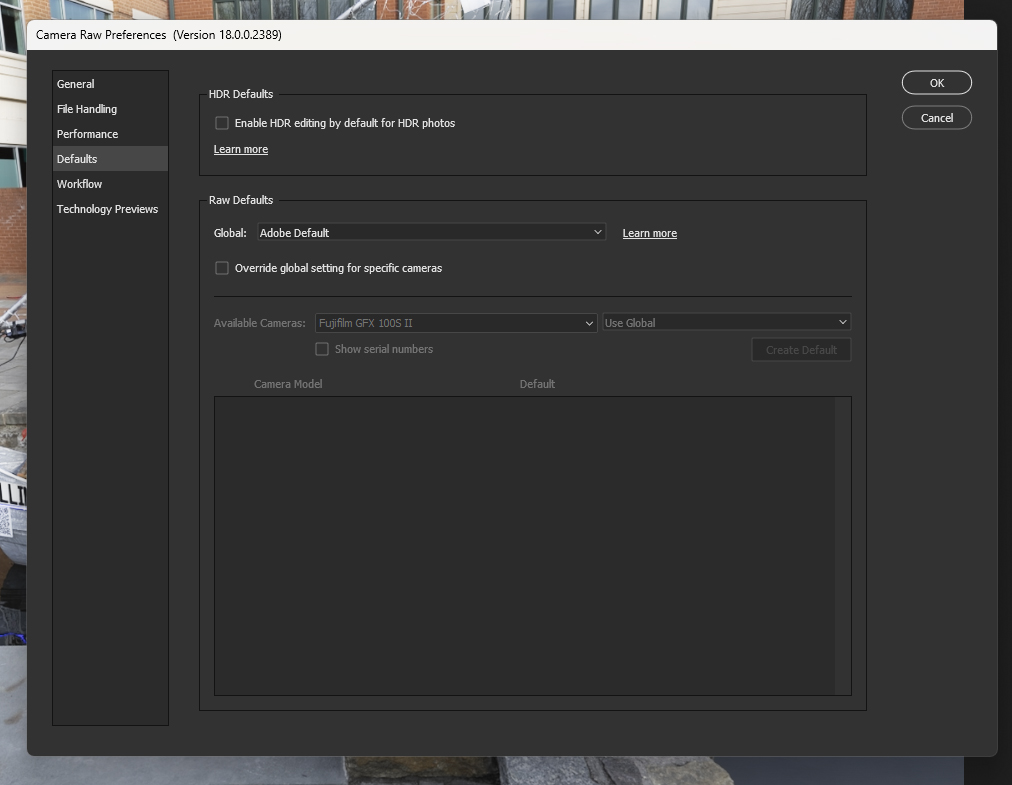
This sounds like a camera profile issue in ACR. You can set a standard profile and also per camera profiles. When you open ACR, on the right side menu you will see ... Click it and you will see your default settings and per camera settings if you have any.
Danpbphoto wrote:
Well that could be Dan.
What happens is when I "open" the file in ACR...for a micro-second or more you see the raw template' doing its thing"..it gets VERY sharp then finish in a less sharp file.
Yes it may be me. I do some sharpening in Br and in Nik Output Sharpener that brings it to my liking.
I was just interested if ACR was doing something to the conversion that was a bug? or yes this is thee result.
Thanks Dan!
Dan2
That is odd. Can you share your sharpening settings? Also what are your “clarity” and “dehaze” settings?
Raw files, of course, tend to be soft when you first open them without some sharpening applied, and you are also likely to change the contrast, curves, and a few other things. (Raw files, by default, are initially less sharp that your typical SOOC jpg image, so you have to sharpen them to get what you want.)
gdanmitchell wrote:
That is odd. Can you share your sharpening settings? Also what are your “clarity” and “dehaze” settings?
Raw files, of course, tend to be soft when you first open them without some sharpening applied, and you are also likely to change the contrast, curves, and a few other things. (Raw files, by default, are initially less sharp that your typical SOOC jpg image, so you have to sharpen them to get what you want.)
Thanks Dan! I realize all that you speak of.
I need to follow my workflow more closely to make sure I am not hallucinating. I'm olde!
I will TRY to get a "screenshot" as the incident is happening. As soon as I click on "Open in Camera raw" from the dropdown menu, the image is loading then the very last step, I see the image go "oof". It is very slight but it is noticable.
Now I have found a "workaround" in Nik Output sharpener by using the "Focus" slider. OR I use the "Sharpening" slider(under the Detail menu) in Br/RAW.
Now this is right when the raw file is being loaded into ACR/Br..you only see it for an instance. You can see the file loading into the Br template and at the very last step, you see something go "fuzzy".
No other settings are selected. I also check the image on the rear lcd and it appears sharp but my olde eyes can be deceiving.
I am going to download some Canon dslr 5DsR files today to see if it may be the raw conversion in Adobe for the Fuji raw converter within Adobe..
Now I also downloaded the Fuji raw converter but have yet to work on the problem.
morris wrote:
This sounds like a camera profile issue in ACR. You can set a standard profile and also per camera profiles. When you open ACR, on the right side menu you will see ... Click it and you will see your default settings and per camera settings if you have any.
Morris
That was my FIRST thought also Morris! Now this is with a Fuji GFX100s ii...I haven't really looked at my downloads from my Canon 5DsR
yet.
I will do that!
Thanks!
Dan
morris wrote:
This sounds like a camera profile issue in ACR. You can set a standard profile and also per camera profiles. When you open ACR, on the right side menu you will see ... Click it and you will see your default settings and per camera settings if you have any.
I see that I may have opened a "can of worms" as far as "end result". I was just watching a YT video on Fuji's GFX Raw Converter. Fuji doesn't make it that easy using their software.
So all the above..I am trying to see what would be causing the problem using Fuji's Raw Conv. Camera has to be connected until file is "edited/converted".