I posted some direct comparisons in the 35 Aurora thread here.
Viltrox is sharper across the frame, smaller, lighter. Viltrox is closer to a 33.5mm/2.2 in effective FL and DOF. Aurora has a significantly smoother rendering draw, and in my experience better auto focus. Aurora also has better coatings in my opinion.
Overall they have a nearly identical feature set, comes down to what kind of bokeh you prefer and how much you value absolute sharpness.
pressureworld wrote:
Does anyone know how the Sirui 35 1.4 compares to the 35 EVO. I have a good copy of the Aurora but still pretty curious.
Thanks for the detailed review on the 35 and first impressions on the 55 Scott!
Obviously the 55 will blurr out better bokeh because it is a much tighter focal length than the 35. So the equivalent aperature will have greater compression and blurr. And with sharp lenses like these, getting nice bokeh is a real achievement!
Im curious about the vignetting of the 55, is it like the 35 or stronger? The Vignette on the 85 evo is holding me off on it.
Overall the 35 pictures speak more to me personally, when snapping bokeh you just stay mindfull that theres no wild foliage etc at mid distance.
But the sharpness! Have you seen the video footage from these lense, spectacular! This Evo line is a real treat! Im going to go with the 35 evo and 55 sony zeiss. For video the 35 evo can punch in to 52 which works well.
Happydan wrote:
Thanks for the detailed review on the 35 and first impressions on the 55 Scott!
Obviously the 55 will blurr out better bokeh because it is a much tighter focal length than the 35. So the equivalent aperature will have greater compression and blurr. And with sharp lenses like these, getting nice bokeh is a real achievement!
Im curious about the vignetting of the 55, is it like the 35 or stronger? The Vignette on the 85 evo is holding me off on it.
Overall the 35 pictures speak more to me personally, when snapping bokeh you just stay mindfull that theres no wild foliage etc at mid distance.
But the sharpness! Have you seen the video footage from these lense, spectacular! This Evo line is a real treat! Im going to go with the 35 evo and 55 sony zeiss. For video the 35 evo can punch in to 52 which works well. ...Show more →
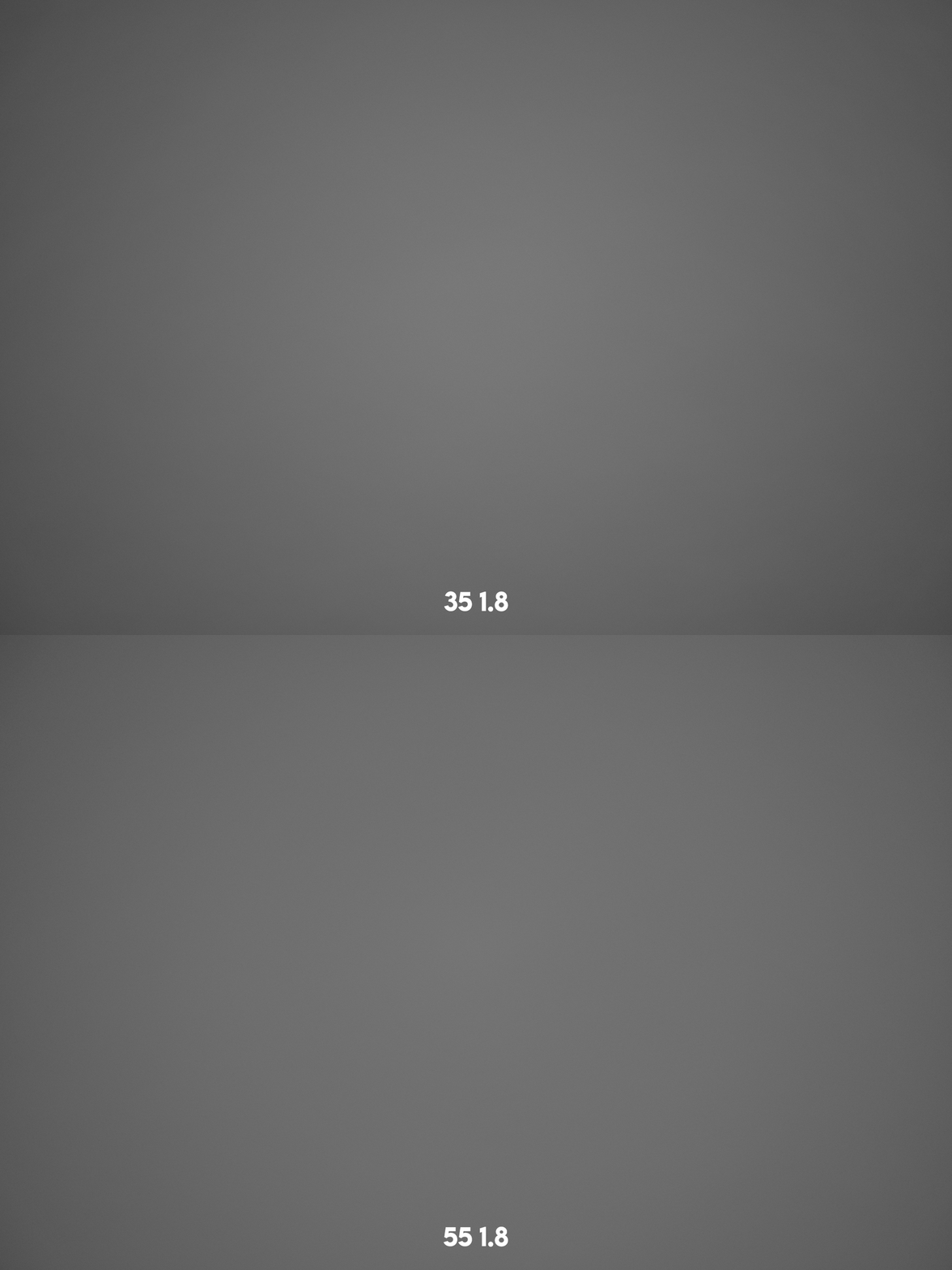
Overall the 55 exhibits significantly less vignette at all applicable apertures. I did this sample set at 1.8, 2.8, 4.0, 5.6, and 8.0 but it's really not worth posting them all, you can just take my word for it with a few examples It gets "close enough" by 8.0, but the 55 is very impressive.
The 55 meters brighter across the board because of it.
That’s really excellent! Thanks for that Scott! That’s a HUGE improvement! Wow
Honestly puts the vignette of the 35 into perspective !
The high vignette on the 85 is holding me off. I’d carry a larger lens if vignette was less
Happydan wrote:
That’s really excellent! Thanks for that Scott! That’s a HUGE improvement! Wow
Honestly puts the vignette of the 35 into perspective !
The high vignette on the 85 is holding me off. I’d carry a larger lens if vignette was less
Having tried all 3 EVO lenses for Z now, the 55 is the clear winner to me, and the best balance of size/bokeh rendering/vignette for my personal tastes. This is particularly ironic given that 55 is by far my least favorite focal length of the 3
I should note that it's very easy to correct the vignetting in all 3 lenses in Lightroom, and there are day 1 profiles for that included. What you really need to consider is if you are shooting JPEG with no lens corrections in body.
Good conclusion!
My raw files haven’t been corrected automatically in C1 so far, just updated
The firmware with the app in Chinese language so let’s see if that brings a profile with it
Anyhow considering returning the Viltrox 35 evo in favor of a Zeiss option 40 Batis to complement the 55 Zeiss on Sony.
Perhaps evo 55 down the road next -
Time will tell
RoamingScott wrote:
There's really no perfect lens
If there were, it would make things much easier
In general, wider lenses seem to have more vignetting, but for some reason, most 35mm mirrorless lenses seem to have very high levels of vignetting. I wonder if it may be due to manufacturers optimizing for size.
DWOfPaul wrote:
If there were, it would make things much easier
In general, wider lenses seem to have more vignetting, but for some reason, most 35mm mirrorless lenses seem to have very high levels of vignetting. I wonder if it may be due to manufacturers optimizing for size.
I had a thought about this yesterday, specifically in regards to this EVO line.
Viltrox has made 3 pretty different lenses essentially the exact same physical size. They had to have settled on their ideal size and weight BEFORE tackling the optical formulas, which then hamstrings each lens in different ways.
For the 35, it gets heavy vignette, an effective aperture of around f2.2 in the real world, and rampant cats eyes...the 85 gets a healthy vignette and a very harsh transition zone behind the subject...and the 55 seems to come out the cleanest, while maybe being the least sharp of the trio, but not by much. In general, it seems well accepted that well controlled ~50mm lenses are the easiest to design.
1.03 firmware update for 35 1.8 ii EVO Z is up.
I think the pulsing in S mode is still there. Not sure if normal.
I don't see that on my 55 EVO Z with firmware as shipped.
check it out
mascejos wrote:
1.03 firmware update for 35 1.8 ii EVO Z is up.
I think the pulsing in S mode is still there. Not sure if normal.
I don't see that on my 55 EVO Z with firmware as shipped.
check it out
mascejos wrote:
1.03 firmware update for 35 1.8 ii EVO Z is up.
I think the pulsing in S mode is still there. Not sure if normal.
I don't see that on my 55 EVO Z with firmware as shipped.
check it out
The first time I used the app I took some screenshots and had ChatGPT translate them just so I knew what exactly was going on, but now yes, it’s just a matter of hitting the green button and looking at the version numbers.
RoamingScott wrote:
The first time I used the app I took some screenshots and had ChatGPT translate them just so I knew what exactly was going on, but now yes, it’s just a matter of hitting the green button and looking at the version numbers.
Thanks Scott,
I finally managed it by making dng schreenshots and putting them into OpenL https://openl.io/translate/image
That finally worked. I got an image error message multiple times in, I assume it was Mandarin.


 It gets "close enough" by 8.0, but the 55 is very impressive.