fredmiranda.com
Login

Moderated by: Fred Miranda
Username  

FM Forum Rules
Landscape Posting Guidelines
  

FM Forums | Landscape Photographer | Join Upload & Sell

       2       end
  

New Dreamscapes


Mark Metternich
Offline
• • • • • •
Upload & Sell: On
p.1 #1 · New Dreamscapes


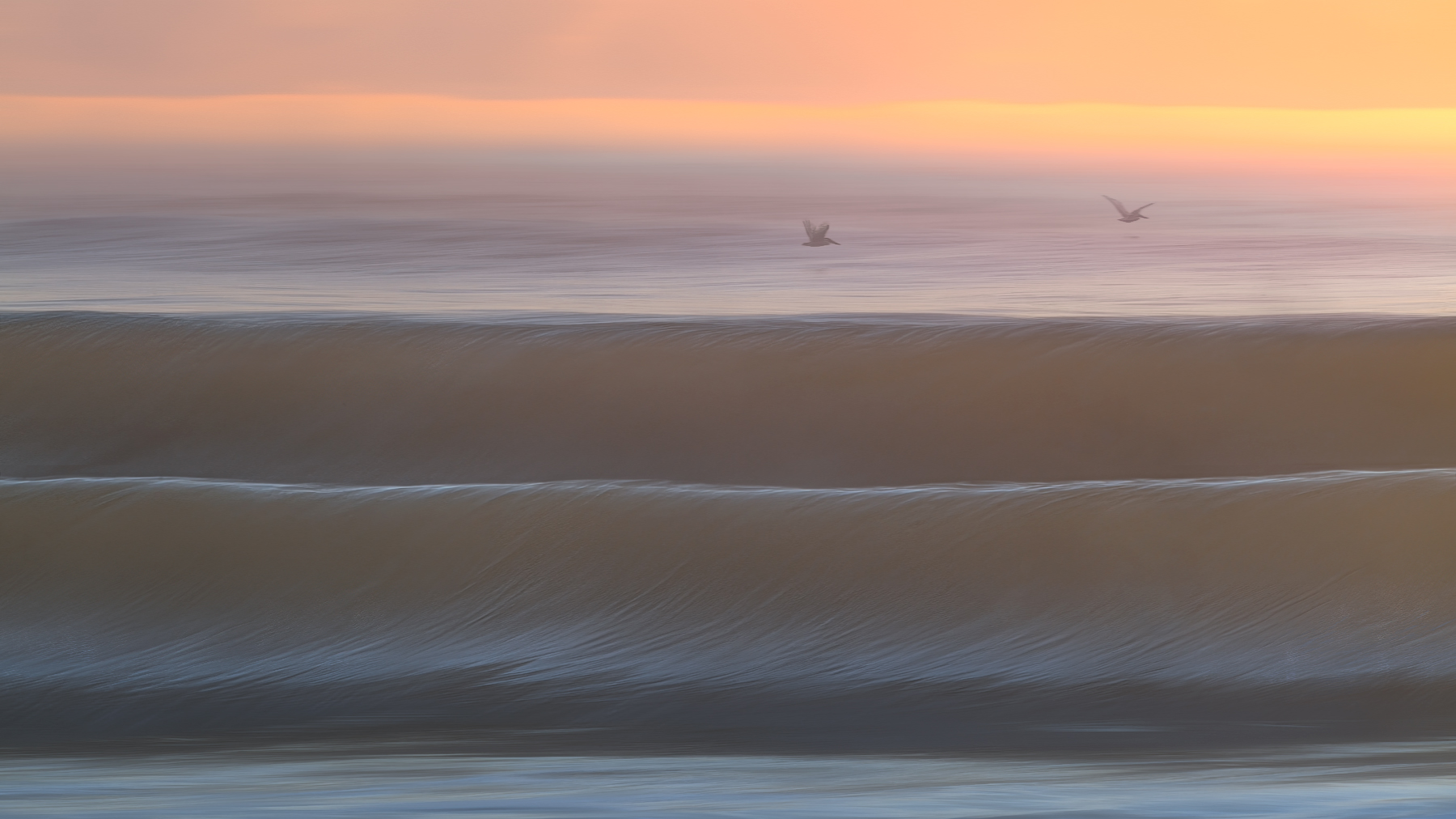
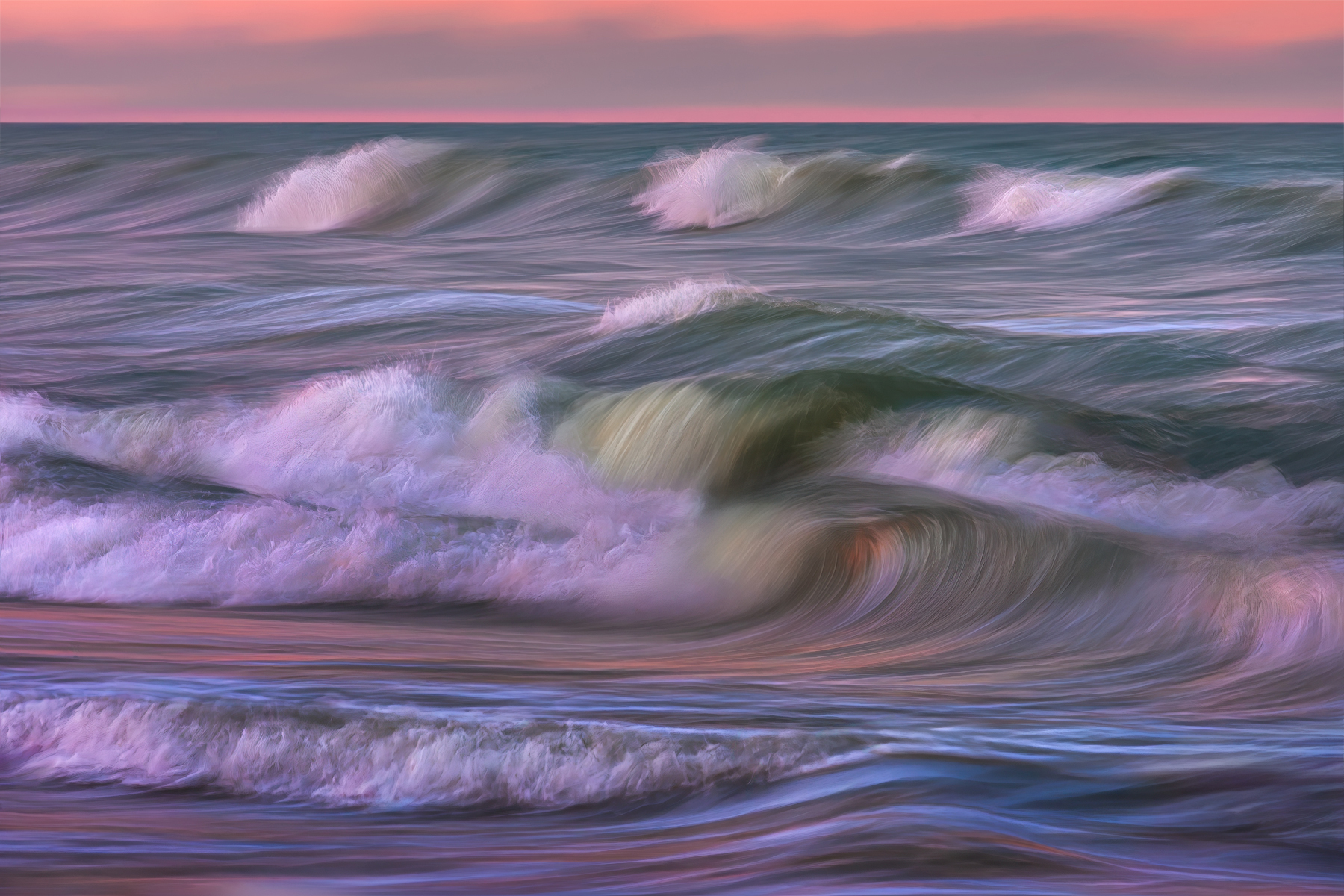
Here are a few new dreamscapes from Florida. In camera effect, not generative AI. I cannot believe I get to both live here in paradise, and do what I do for a living! A lot of new stuff this year.


Techie Notes:

These are taken during incredible moments of light, at specific shutter speeds, while very carefully panning the main wave or waves in the composition (to get the slightly dreamy quality).

Always on extremely level tripod with a very smooth swivel to the ball head. Still Really Right Stuff for me.

At the waters edge, or in the water. Not up on the bank (which makes waves look small).

Canon 70-200, or the same but with a 2X converter. So anywhere from 70mm to 400 usually.

I shoot stopped down for fullest depth of field.

I will usually keep the horizon in the upper 1/3rd or 1/4th so there is some sky. Most people seem to like some sky in the shot for perspective (based on previous feedback here). I agree, and THANK YOU most kindly, whoever that was a few years ago.

With the tripod immaculately level I can shoot from extreme left to extreme right or more straight ahead, and the horizon will still be in the frame!

Leica SL2 or Panasonic Lumix S1R (my 2 favorite cameras in the world)

Slower burst /continuous mode.

I am usually shooting before the waves are cresting, then all the way through when they crash.

Shutter speeds vary a lot based on a many factors, such as the angle to the waves, speed of the waves, focal distance... but are usually between 1/30th and 1 or 2 seconds. I try ALL the speeds in-between (and others) and will shoot about 100 images, before I make any next shutter speed decision. The goal is to experiment a ton and throw out any rules I may have. I never know what will produce something that I like. Experiment and rule breaking are the rule here.

Shutter Priority, Auto ISO.

Also, here I do NOT shoot "to the right" (as I usually do for other landscapes) because I periodically look at some of the images and need to be able to see how it is working. So camera feedback is critical. Although I try not to look at the feedback too much, and lose a moment I may have gotten...

I easily take 2000-5000+ shots per shoot, (I never delete my files, so yeah, a lot of storage!).

It generally takes clients 1-3 a days before their yield starts getting high. A LOT goes into it. I'm only giving some fundaments here incase it help someone... If I get one shot that I really like in 5000 shots, I am very happy!

When it gets too bright to have the correct slower shutter speed, I use either a 6 stop or a 9 stop ND filter.

If a pelican, bird, or dolphin... are going by, I always carefully pan the camera with their speed of movement until they are gone, and then go back to the waves.

ALL times of day and weather works great. And "great light" does not correlate with a good capture! Clients sometimes have a hard time adjusting that mentality. Literally great shots can be had any time. I shoot until I'm tired or my SD cards have filled up!

I always use Adobe Lightroom/Camera Raw (now using the Adaptive Color profile more often than not).

I get the most out of Raw, then import the file into Photoshop as a RAW smart object, then to maximize quality, I use Duplicated Raw Smart Object layers (Raw Layers!) and click on them (into Camera Raw) for as much of my layer work as possible. I keep rasterized adjusting down to a bare minimum. And only after I am totally done with Raw Layers...

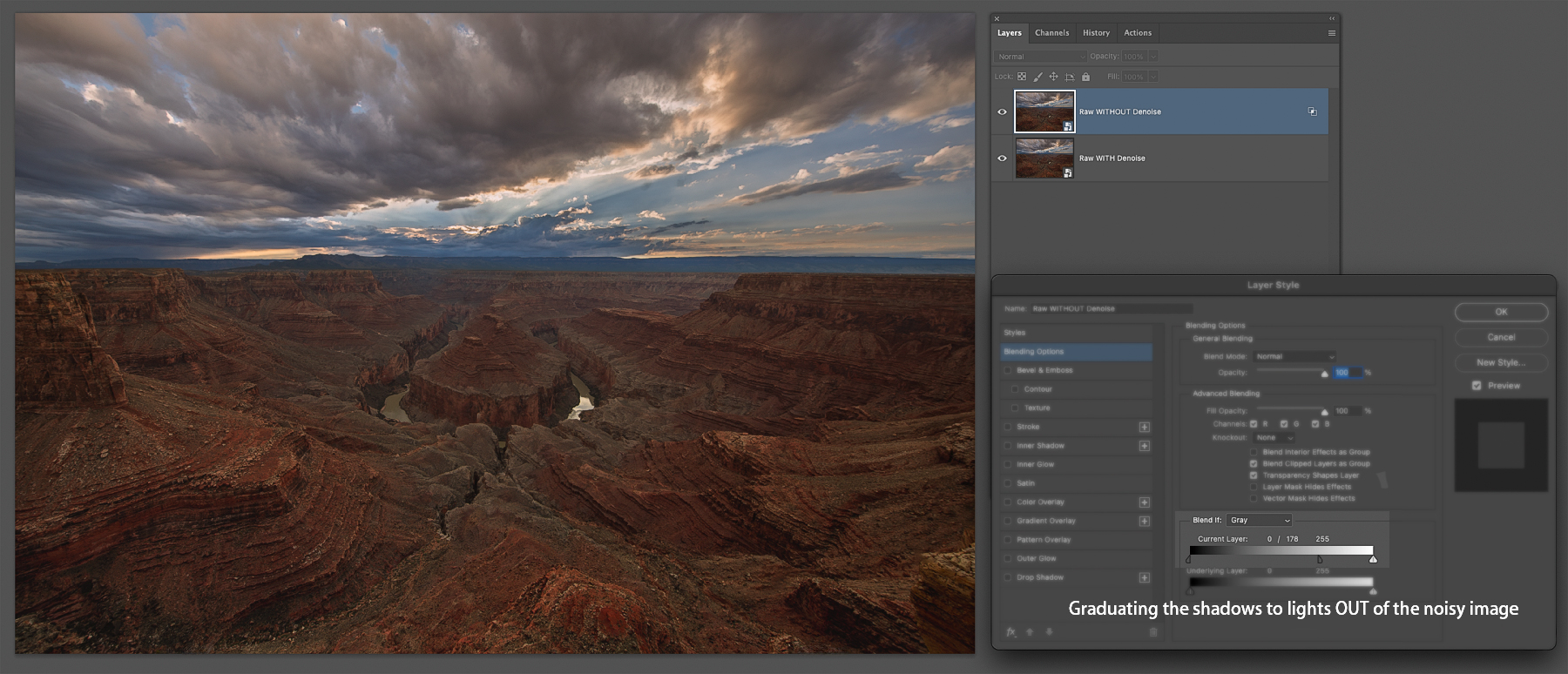
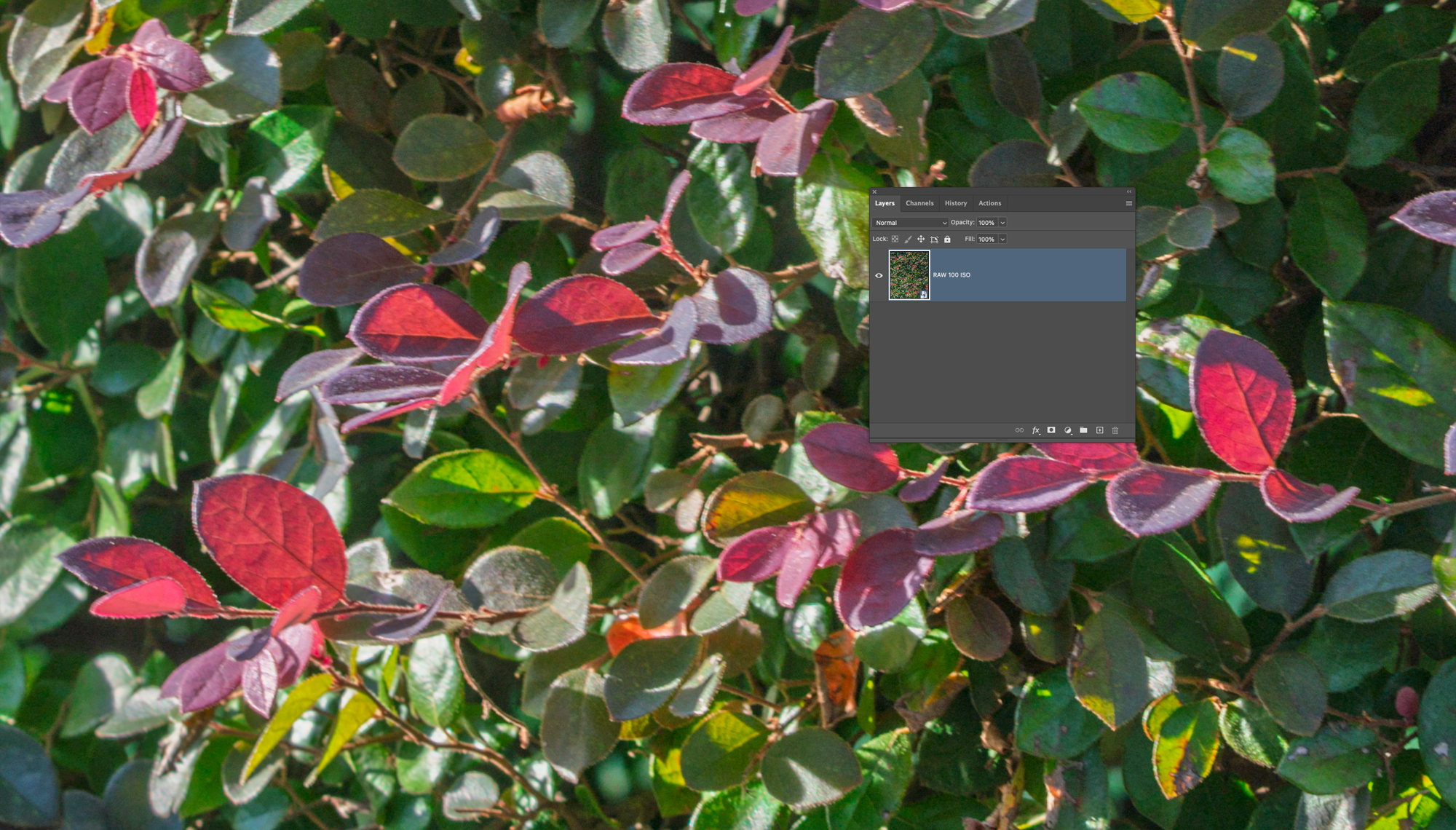
*I have a KILLER new method for noise control (if my ISO is higher) using both a Raw Smart Object Layer (in Photoshop) without noise reduction and a duplicated Raw Smart Object Layer WITH Adobe Denoise ON (to an appropriate amount) BUT I then use the Layer Style Blend Options "Blend If" to keep that noise reduction in the exact tones it should be (more in the shadows, but graduated less and less as the tones head toward mid-tones, and less to none in the lights/highlights). ***you can SEE example in my reply in this thread...

This takes Adobe Denoise results to a incredible level for file quality! And allows people to basically shoot at ANY ISO needed, and keep the file details as natural as possible. And tremendously boosts potential enlargement quality which I am ever still overly obsessed with (doing post processing for world class enlargements full time for gallery photographers - for about 20 years now)! The quality we are obtaining now defies belief.

I never tire of the ocean!

All the best to everyone, and their families! thank you for looking!
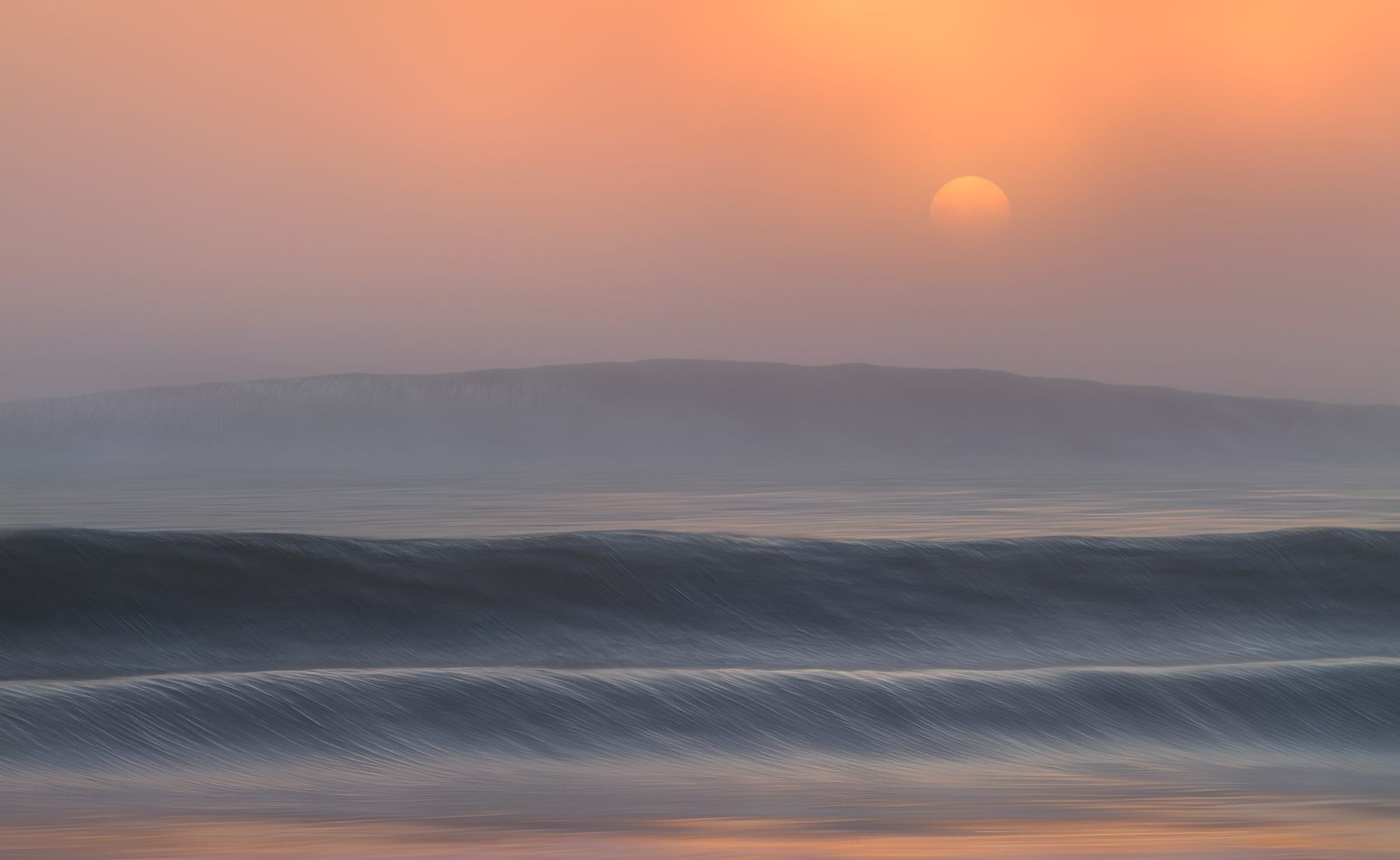


Rising Sun
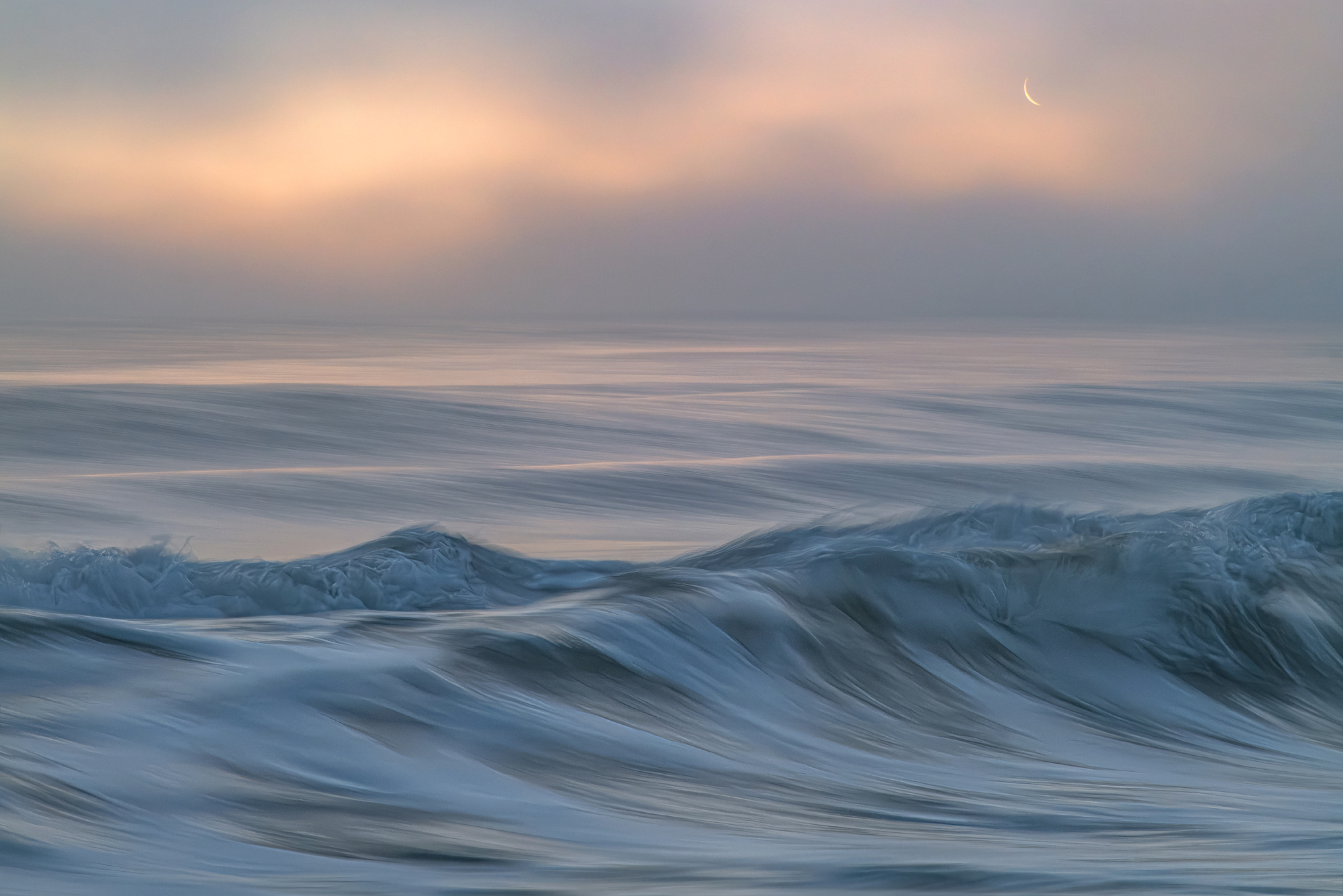


Edited on Apr 14, 2026 at 12:28 PM · View previous versions


Apr 13, 2026 at 07:24 PM
guidostow
Offline
• • • •
Upload & Sell: Off
p.1 #2 · New Dreamscapes


I've missed these images Mark. So exquisite! I love how you have captured the texture of the waves to look like brush strokes in a masters oil painting, the effect in the second and last ones is breathtaking. The smoother ones have a really subtle delicacy (great catch with the pelicans!) Really such a pleasure to see them.


Apr 13, 2026 at 07:35 PM
Ross Martin
Offline
• • • • •
Upload & Sell: On
p.1 #3 · New Dreamscapes


Guy beat me to the word I was typing - exquisite! Mark, there is a grace and light and life to these artistic images, they are lovely and mesmerizing. Thank you for sharing your inspiration with us.


Apr 13, 2026 at 08:24 PM
JimKied
Offline
• • •
Upload & Sell: Off
p.1 #4 · New Dreamscapes


I bow to the ICM ghost whisperer. I'm not sure I could ever have the patience for all that work. I even shudder at the thought of culling all those images. But I gotta admit the end result is definitely exquisite. Amazing work Mark!


Apr 14, 2026 at 06:25 AM
douter
Offline
• • • • • • •
Upload & Sell: Off
p.1 #5 · New Dreamscapes


Love no. 2 and four here, Mark!
Douglas


Apr 14, 2026 at 07:40 AM
ctgoldwing
Offline
• • •
Upload & Sell: On
p.1 #6 · New Dreamscapes


beautiful works of art! good on you


Apr 14, 2026 at 11:01 AM
dankin
Offline
• •
Upload & Sell: Off
p.1 #7 · New Dreamscapes


Happy to see you posting again! The light in all of these is so nice. The sky in #2 is dreamy. Also, thats a nice tip for denoise. I find denoise works really well in the dark tones in the water, but can loose detail and sometimes have some artifacts with the lighter tones in the waves or ocean spray.


Apr 14, 2026 at 11:13 AM
Mark Metternich
Offline
• • • • • •
Upload & Sell: On
p.1 #8 · New Dreamscapes


dankin wrote:
Happy to see you posting again! The light in all of these is so nice. The sky in #2 is dreamy. Also, thats a nice tip for denoise. I find denoise works really well in the dark tones in the water, but can loose detail and sometimes have some artifacts with the lighter tones in the waves or ocean spray.


Thank you very much!

Here is here are how the settings might look like depending on how much noise is in the image. With really noisy images I might have the right black slider all the way to the right. HORRIBLY noisy images, you might even take in the left black slider (a little more to the right) a bit.

You can graduate it in perfectly, easily, flexibly, in real time and lossless. And if you feel you are losing any detail in the shadows (as you mentioned) just duplicate your Raw Layer that did not have noise reduction (the one on the top in this example) and put it below the two you see here (put it on the bottom). Then if need be, you can reduce the opacity of the middle layer very slightly.

ANY ISO up to about 12,800, can literally look like 50 ISO, and you can fine tune it to perfection, easily.

What I love about it the most is the Noise Reduction (Denoise) is going exactly where it needs to, not all over your image! This keeps your brighter data (in which the eye sees the most in photos - and has little to no noise) natural/untouched by the AI noise reduction... You keep the natural pixels in the areas the eye sees the most, and you keep as many natural pixels as possible. This is HUGE for the ultimate potential quality of an enlargement, and what is possible with it.


Apr 14, 2026 at 12:20 PM
Mark Metternich
Offline
• • • • • •
Upload & Sell: On
p.1 #9 · New Dreamscapes


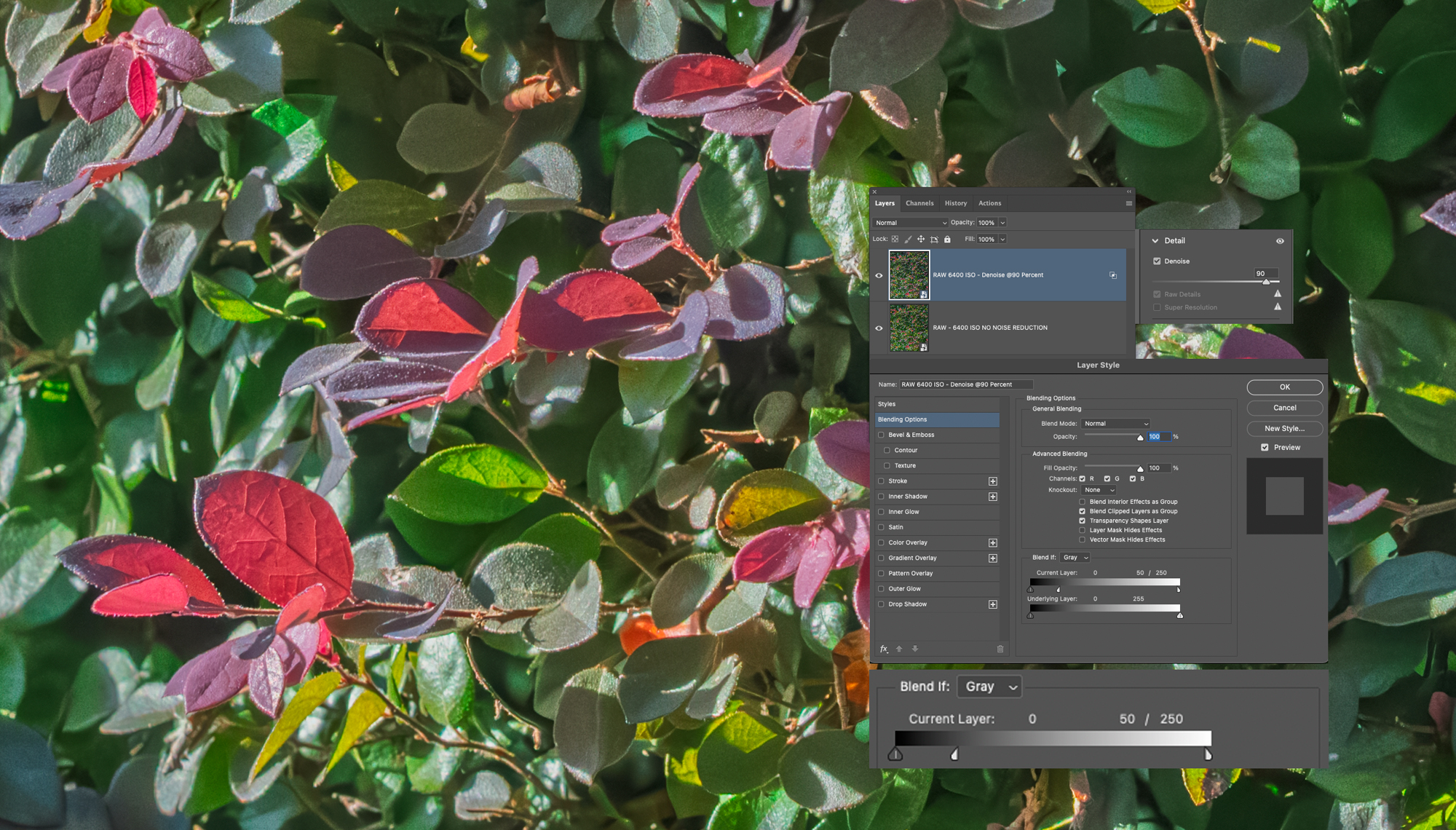
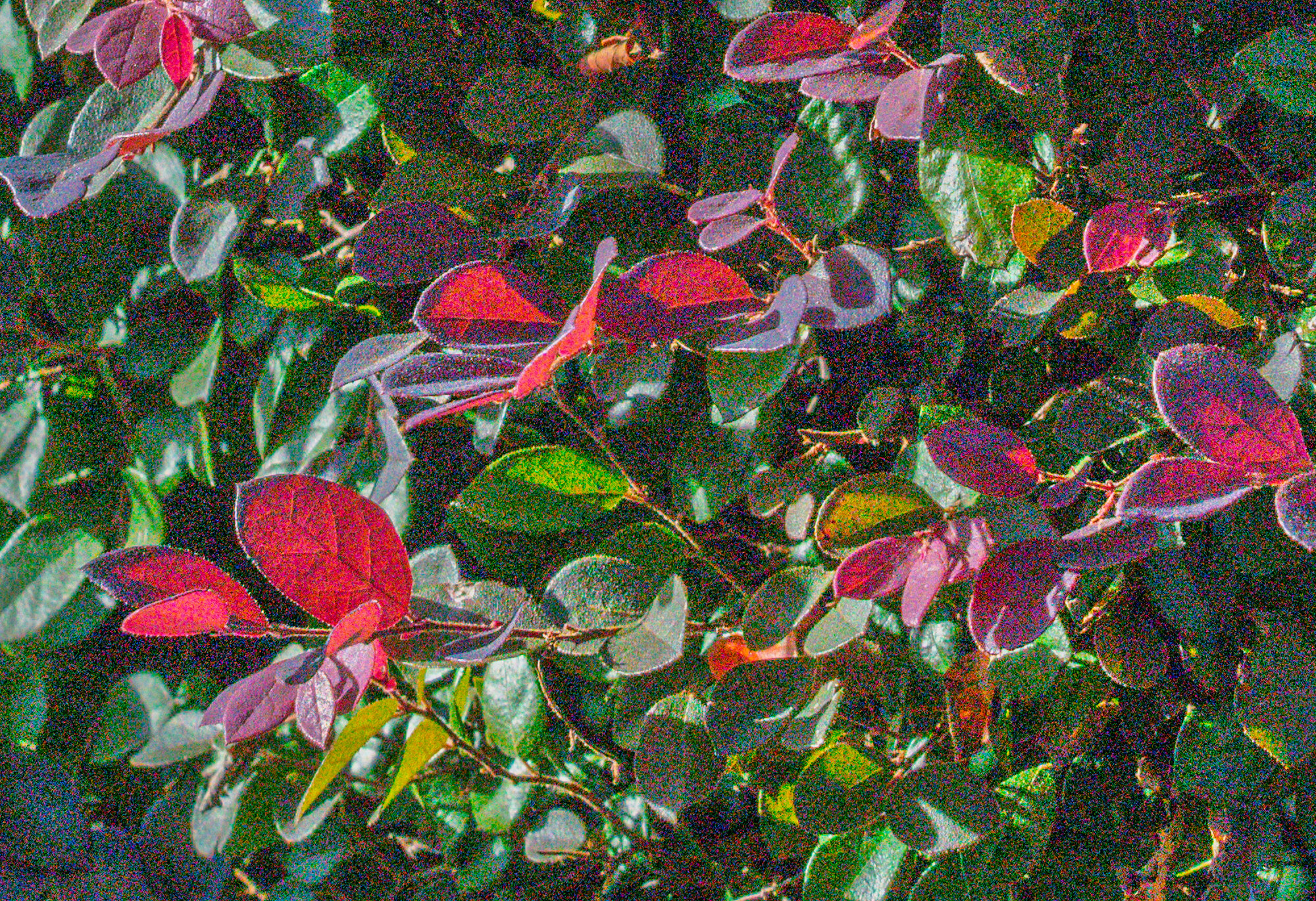
Here is a test shot at 100 ISO and 6400 ISO at 200% viewing distance (where it should look a little artifacty - noisy - grainy even if clean)!

This time I put the Adobe Denoised (amount 90% as seen) on the TOP Raw Layer, and split OUT the highlights leaving the Denoise IN the shadows, falling off gradually by the mid-tones. Takes about 5 seconds.

At 100% viewing distance no-one would guess the 6400 ISO shot to be that high! I've shown this file many times on my Ultimate Mastering Fine Art Printmaking Workshop and invited people to look at the monitor close up, and so far, everyone has said the the 6400 ISO shot looks like 50 ISO! And has retained the original natural lights and highlights (no Denoise - AI in the lighter tones).

So far this has been the ultimate way to deal with noise (with the one exception being high ISO star - Milky Way photos, which need the noise reduction throughout the tones) for both quality and control. I've processed many such gallery files for clients to 180 inches (300ppi), 150 inches and all sizes downward with unbelievable results! I try to train my clients in this method because it makes my job so much easier, and their work unbelievably better!

Hope it helps someone!


6400 ISO using the technique


100 ISO image comparison


6400 ISO Image Before Technique


Apr 14, 2026 at 02:16 PM
junglialoh
Offline
• • • • •
Upload & Sell: On
p.1 #10 · New Dreamscapes


Always bring enthralling and unforgettable image on FM - thanks these wonderful images which are vividly dynamic and realistic.


Apr 14, 2026 at 03:52 PM


Search in Used Dept. 

adventure_photo
Offline
• • •
Upload & Sell: On
p.1 #11 · New Dreamscapes


Stunning images Mark, well done!


Apr 14, 2026 at 08:11 PM
keepclicking
Offline
• • • •
Upload & Sell: On
p.1 #12 · New Dreamscapes


Mark, good to see you posting and thanks for sharing your knowledge......


Apr 15, 2026 at 05:50 PM
dakel
Offline
• • •
Upload & Sell: On
p.1 #13 · New Dreamscapes


G'day Mark. Great post. Lovely images.


Apr 15, 2026 at 11:19 PM
Danpbphoto
Offline
• • • • • • •
Upload & Sell: On
p.1 #14 · New Dreamscapes


Awesome compositions! Incredible photography Mark!
Dan


Apr 16, 2026 at 11:52 AM
Rajan Parrikar
Offline
• • • • •
Upload & Sell: On
p.1 #15 · New Dreamscapes


Exceptional work. The first image is truly special.


Apr 17, 2026 at 03:16 AM
jm10_former
Offline
• •
Upload & Sell: Off
p.1 #16 · New Dreamscapes


I have been missing your ocean dreamscapes Mark. Thank you for posting this and sharing the technical information. The last image in this series is my favorite. Now I will be looking forward to learning how to make the image edges sharp

jacob


Apr 20, 2026 at 04:52 PM
sony a7iii
Offline
• •
Upload & Sell: Off
p.1 #17 · New Dreamscapes


Hola, parecen cuadros
Felicidades


Apr 22, 2026 at 04:41 AM
Ovimo001
Offline

Upload & Sell: Off
p.1 #18 · New Dreamscapes


Gorgeous feel in these photographs. Very moody.


Apr 22, 2026 at 04:49 PM
bwana
Offline

Upload & Sell: Off
p.1 #19 · New Dreamscapes


Thank you for your mesmerizing images that contrast with your detailed and precise explanation. However, I have only used lightroom and photoshop seems intimidating. I understand the part about putting a denoised layer on top however, I do not understand
~~~~~~~~~~~~~~~~~~
.....I then use the Layer Style Blend Options "Blend If" to keep that noise reduction in the exact tones it should be (more in the shadows, but graduated less and less as the tones head toward mid-tones, and less to none in the lights/highlights).
~~~~~~~~~~~~~~~~~~~~~

Your image that includes the layer style dialog is kind of blurry so I cant tell what is going on. I dont see a 'blend if' rather the blend is set to normal in that screen capture.


Apr 22, 2026 at 08:19 PM
bwana
Offline

Upload & Sell: Off
p.1 #20 · New Dreamscapes


And even when i set denoise very high, i still have a lot of noise. I used your noisy jpeg

and you can see even with the sliders all the way to the right, there is still a lot of noise


Apr 22, 2026 at 08:48 PM
       2       end


FM Forums | Landscape Photographer | Join Upload & Sell

       2       end


You are not logged in. Login or Register