fredmiranda.com
Login

Moderated by: Fred Miranda
Username  

FM Forum Rules
Landscape Posting Guidelines
  

FM Forums | Landscape Photographer | Join Upload & Sell


Time for a poll


RWNPhoto
Offline
• • •
Upload & Sell: On
p.1 #1 · Time for a poll


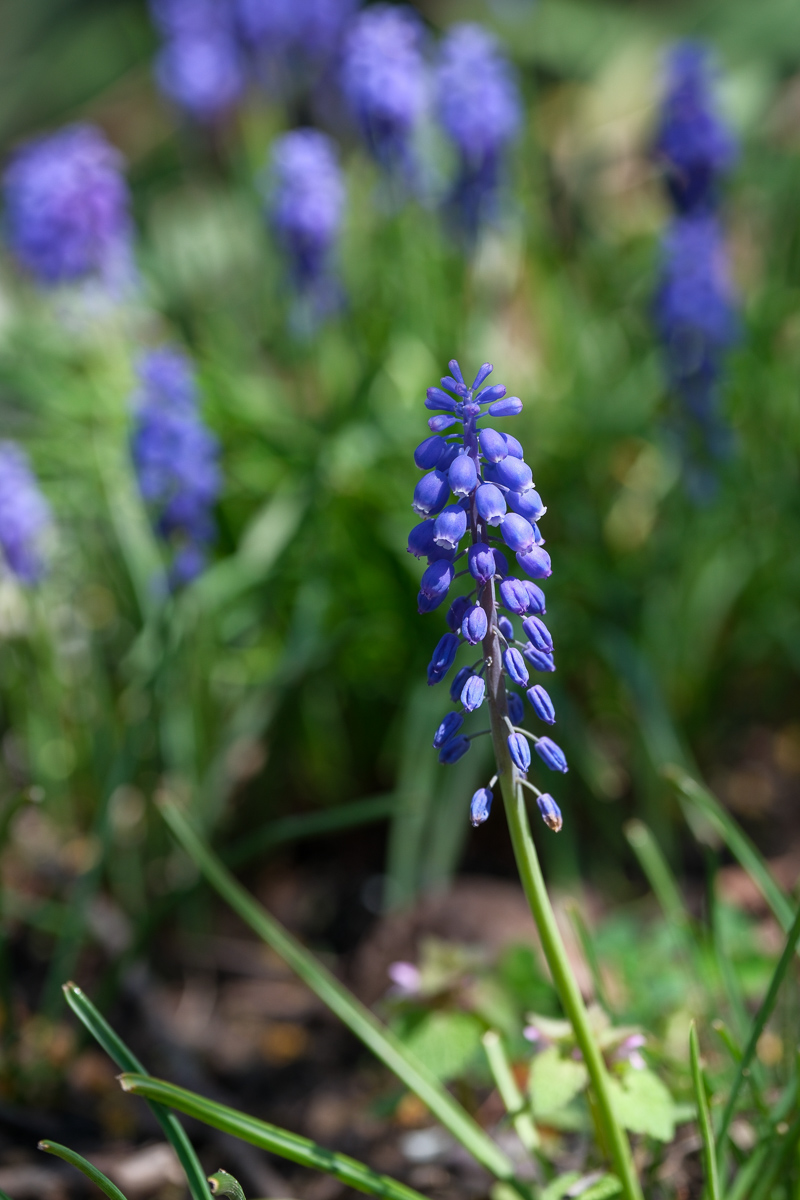
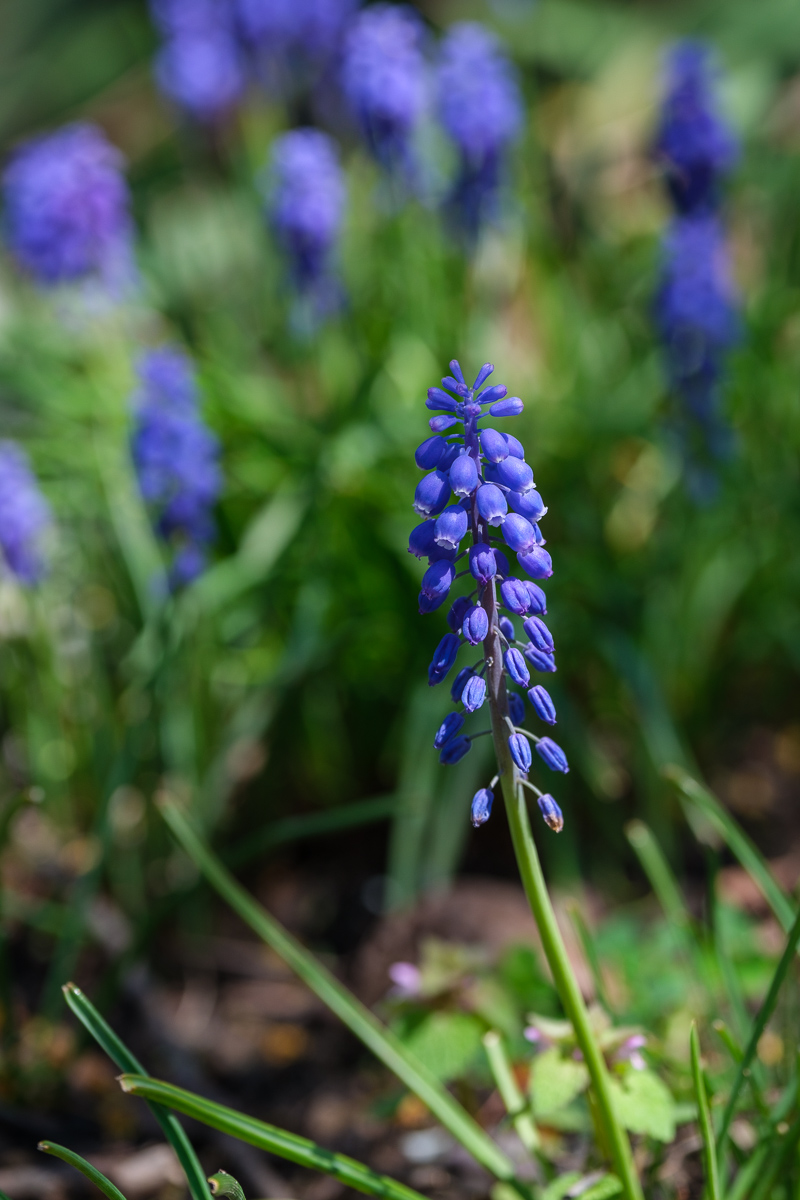
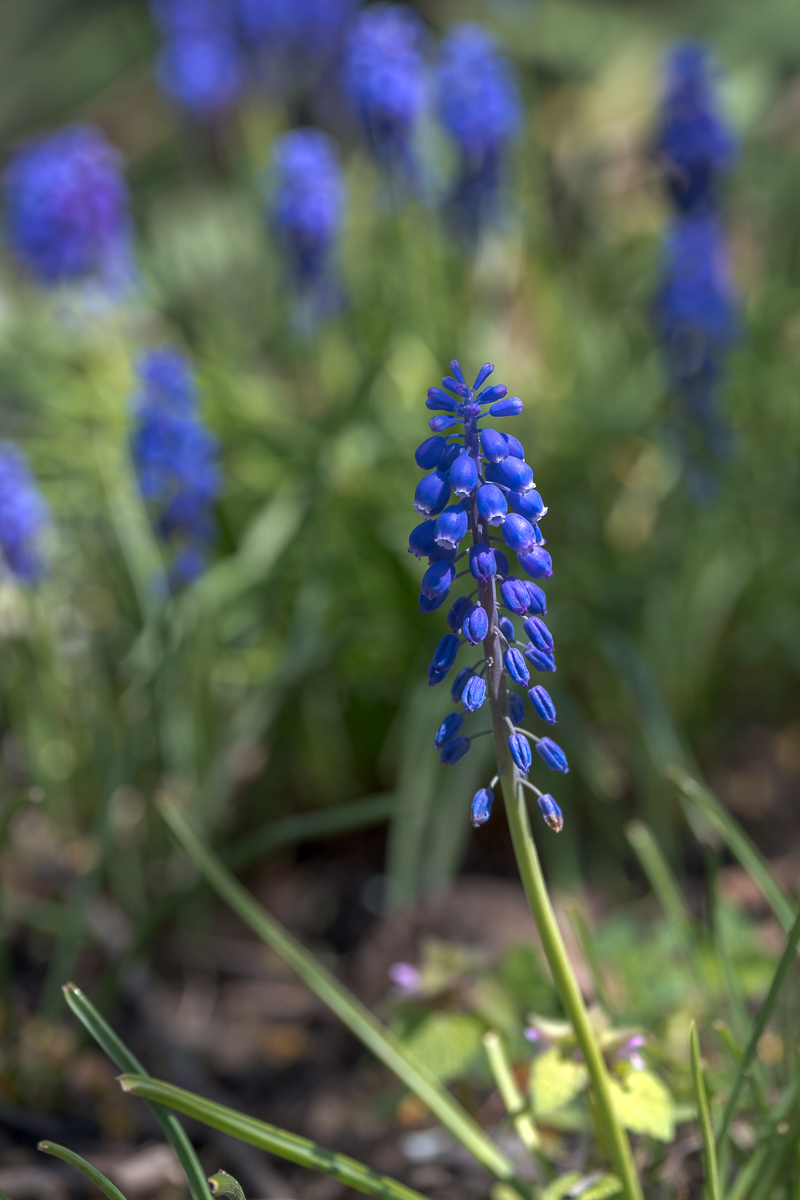
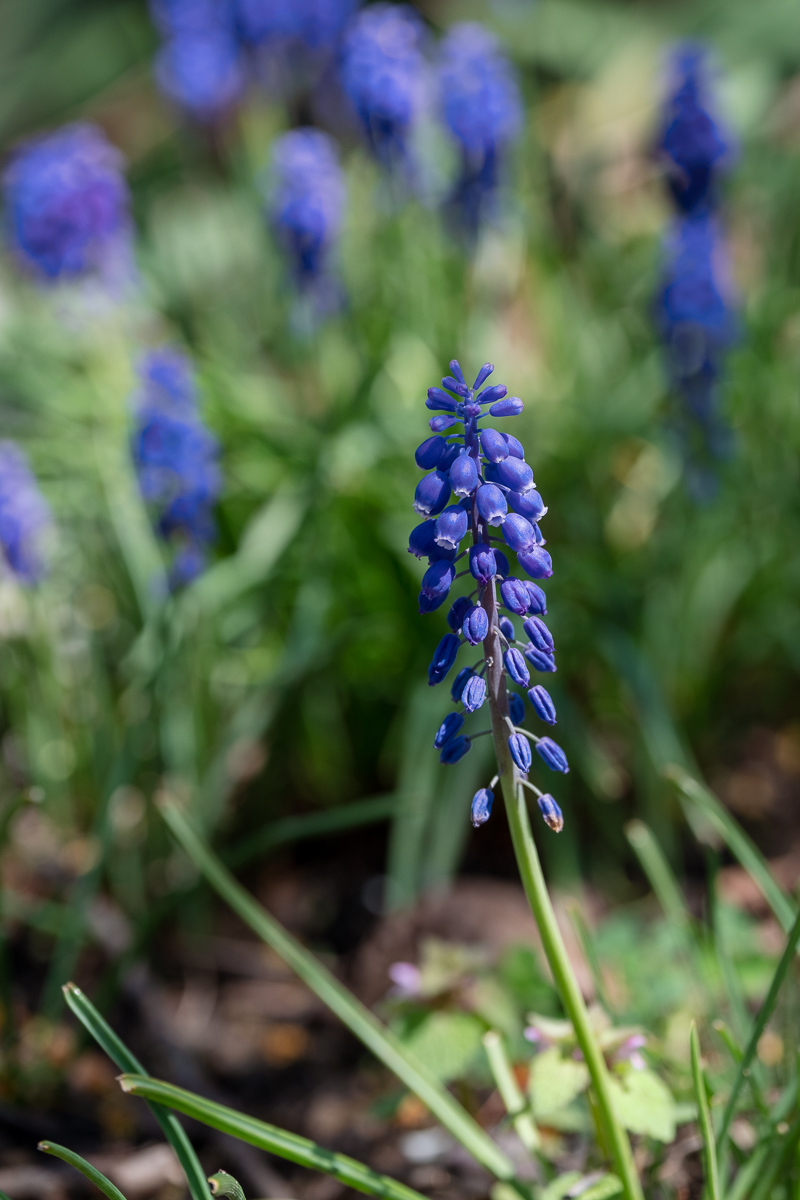
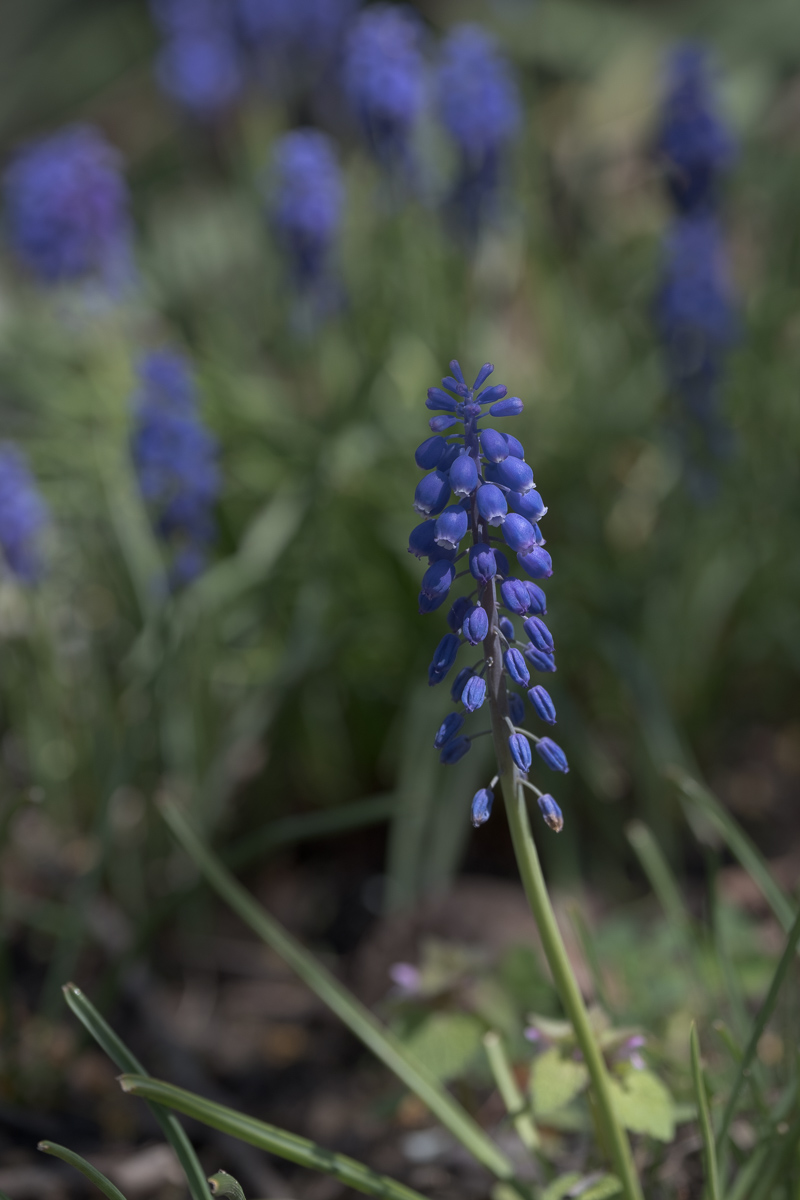
Which one of these LOOKS better to you. Shot with a Fuji (not that it matters terribly much). 3 are color profiles applied in LR, and 1 of them is the JPG the camera made when shot. All were only either left alone and LR auto clicked, or profile changed and LR auto clicked. Auto in this case is the top one in LR, for exposure, highlights, shadows, whites, etc.

I just wanted to see how different profiles, not just "camera matching" ones look. These are supposed to be for Fuji, more or less based on standard scenes I'd guess is the way to describe it. One might lean a bit away from that.

I'll come back later with what is what, for those interested. This isn't high tech serious, and yes you can adjust sliders and more to make them all look even more different, or the same, but this was a fast LR correct and export play test.


Version A


Version B


Version C


Version D


Apr 26, 2026 at 02:45 PM
morris
Offline
• • • • • • •
Upload & Sell: On
p.1 #2 · Time for a poll


The lightness of the flowers and the texture on there pedals makes the first (a) my pick. It looks very natural to me.

Morris


Apr 26, 2026 at 04:42 PM
Mark Metternich
Offline
• • • • • •
Upload & Sell: On
p.1 #3 · Time for a poll


To me, they are all equally nice. With probably one simple adjustment to make them basically the same. Beautiful flower!


Apr 26, 2026 at 05:39 PM
adventure_photo
Offline
• • •
Upload & Sell: On
p.1 #4 · Time for a poll


A for me.


Apr 26, 2026 at 06:56 PM
FramesPerSecond
Offline

Upload & Sell: On
p.1 #5 · Time for a poll


Version B by far for me


Apr 26, 2026 at 08:14 PM
birdied
Offline
• • • • • • •
Upload & Sell: On
p.1 #6 · Time for a poll


A for me. They all are very similar to my eye

Birdie


Apr 26, 2026 at 10:09 PM
tfoltz
Offline
• • • • • • •
Upload & Sell: Off
p.1 #7 · Time for a poll


The first one seems the most natural to me, the second one has too much contrast, and the third one’s color doesn’t look true. IMO.

-Tim


Apr 26, 2026 at 10:51 PM


Search in Used Dept. 

Camperjim
Offline
• • • • •
Upload & Sell: On
p.1 #8 · Time for a poll


I assume the goal is to make the flower stand out from the background. If so none of these are very successful. The background colors match those of the flower and if anything are more intense. Blurring the background has minimal effect.

Use of a flash during capture would have made the flower stand out with the option of a black background, a more subtle difference or anything in between.


Apr 27, 2026 at 04:32 AM
RWNPhoto
Offline
• • •
Upload & Sell: On
p.1 #9 · Time for a poll


Camperjim wrote:
I assume the goal is to make the flower stand out from the background. If so none of these are very successful. The background colors match those of the flower and if anything are more intense. Blurring the background has minimal effect.

Use of a flash during capture would have made the flower stand out with the option of a black background, a more subtle difference or anything in between.


Well, that was NOT the goal here. If it was, I wouldn't have shot it in the sun, and wouldn't have had the dappled sun behind my head, with a lot of front lighting, making it flat. Yeah, could have used a backdrop of some sort, but this wasn't an attempt to make an awesome image. Just trying to get a flower image to try some profiles.


Apr 27, 2026 at 07:50 PM
RWNPhoto
Offline
• • •
Upload & Sell: On
p.1 #10 · Time for a poll


Don't need to drag this out, and not many may care anyway.

Version A is the JPG out of camera. Image was shot with Provia/Standard setting, nothing else. Once loaded in to LR (with no import changes applied). Once in LR, basic section auto button was clicked.

Version B is the actual RAW from the same image as above. Shot RAW/JPG, so above is the JPG, this was the RAW. Once loaded in to LR (with no import changes applied). Once in LR, basic section auto button was clicked.

Not a whole lot of difference between A and B, but enough for some to notice.

Version C is actually a linear profile for Fuji X-T5 cameras. It was downloaded from:
https://goodlight.us/linear-profiles.html#profiles
Acocrding to the site, if the profile used by the program is linear, the displayed image is typically less vibrant, but (and this is important) it also better represents the actual data in the RAW file.

The main drawback of the linear profile is that, at least initially, the image looks worse onscreen. It's darker, has less saturated colors, and less contrast. In fact, it appears to be a somewhat poor starting point for making adjustments in Lr/CR compared to using one of the Adobe Raw profiles. However, there are a couple of strategies for working with linear profiles that usually help produce better results than could be obtained with from one of the curved profiles.

One method they state to continue after applying the linear profile is to use the Auto button. So, that is what I did, and all that I did. Seems, this needed more work, and no idea why the flower is "more dark blue/purple".

Version D is a profile from Color Precision. They have a set for Fuji films, and also Kodak films, for almost all the camera brands (No Oly/OM). This one is for Fuji Pro 400H film, allegedly, and Auto then applied.

So, no real goal or decision here. It was just me playing to see what the difference was between some profiles that supposedly help. And Auto applied in LR to have it help.

So, if someone wants simple good images, perhaps JPG is the way to go. Or JPG with Auto is, since most here said it looked the best, on this image anyway.

Why did I use Auto? For anyone who asked, I didn't have to, but if you get a linear profile, and apply to the RAW file, you WILL need to do something, because the image IS really "BAD". Auto was miraculous, but for this, a color shift for some reason.

Edited on Apr 28, 2026 at 12:33 PM · View previous versions


Apr 27, 2026 at 07:51 PM
Karl Witt
Offline
• • • • • • •
Upload & Sell: On
p.1 #11 · Time for a poll


To my eyes unless they are all together like this there isn't enough difference to even consider IMO

However, to my eyes on my Mac calibrated monitor the second image subject looks the most accurate in color and did a better job on the highlights than the first. The 3rd and 4th to me look more blue than purple, as I see them

Karl


Apr 27, 2026 at 09:05 PM
Candor
Offline
• • •
Upload & Sell: Off
p.1 #12 · Time for a poll


They are so similar I have a difficult time discerning much of a difference although if I had to pick one to toss it would be #3, the color seems slightly off.


Apr 28, 2026 at 12:30 PM
RWNPhoto
Offline
• • •
Upload & Sell: On
p.1 #13 · Time for a poll


For reference, and for anyone who cares, using the Linear Profile that I mentioned in an above post, just loading the RAW from the camera, applying the Linear Profile for that particular camera (X-T5 in this case) looks like the below. That is the starting point, or the RAW raw data so to speak, according to the linear profile peoples I guess...


Apr 28, 2026 at 12:38 PM


FM Forums | Landscape Photographer | Join Upload & Sell


You are not logged in. Login or Register