fredmiranda.com
Login

Moderated by: Fred Miranda
Username  

  New fredmiranda.com Mobile Site
  New Feature: SMS Notification alert
  New Feature: Buy & Sell Watchlist
  

FM Forums | Nikon Forum | Join Upload & Sell

1       2       3              6              8              11       12       end
  

Nikon Z5II


rtallent
Offline
• • •
Upload & Sell: Off
p.7 #1 · Nikon Z5II


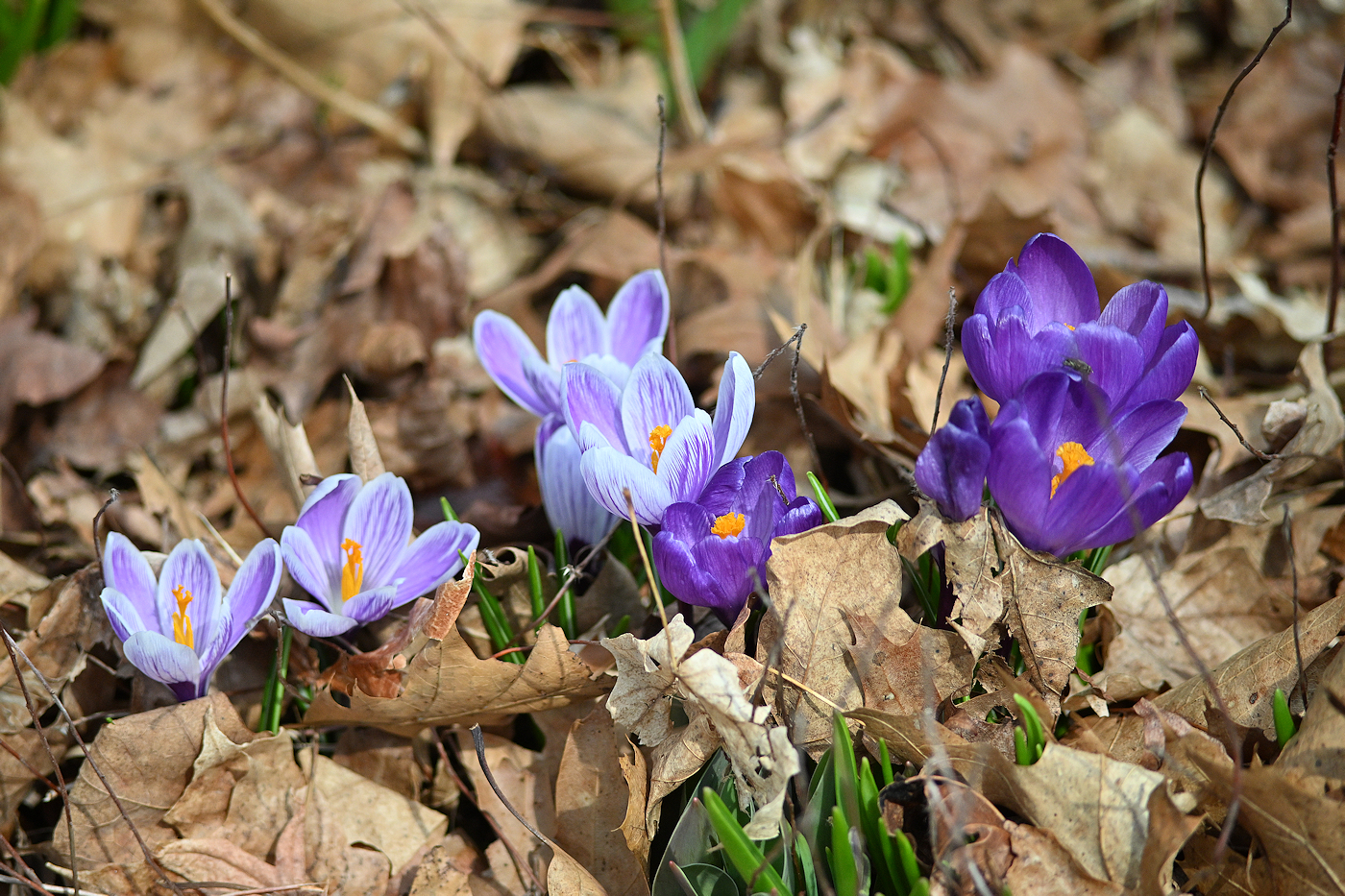
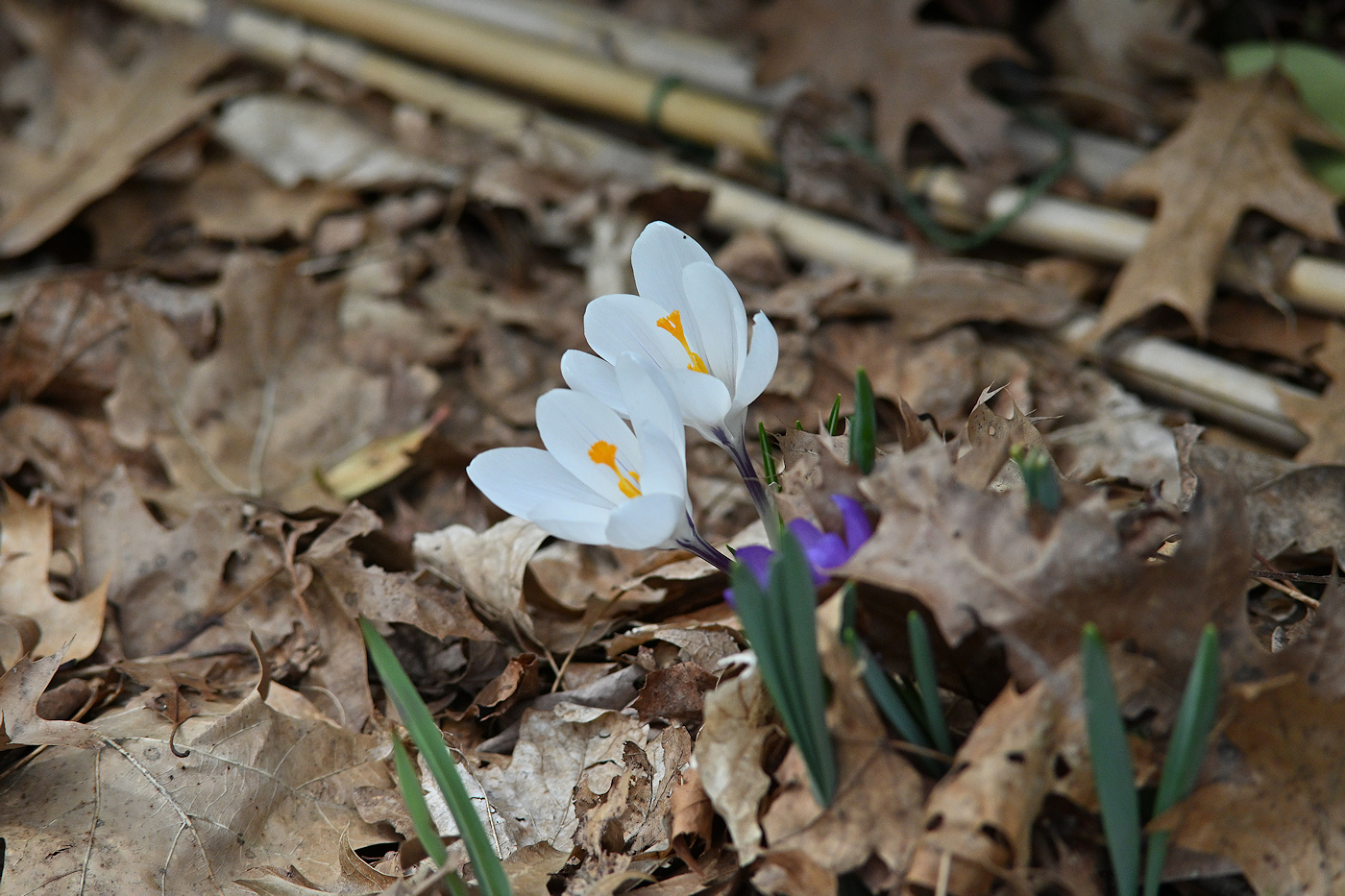
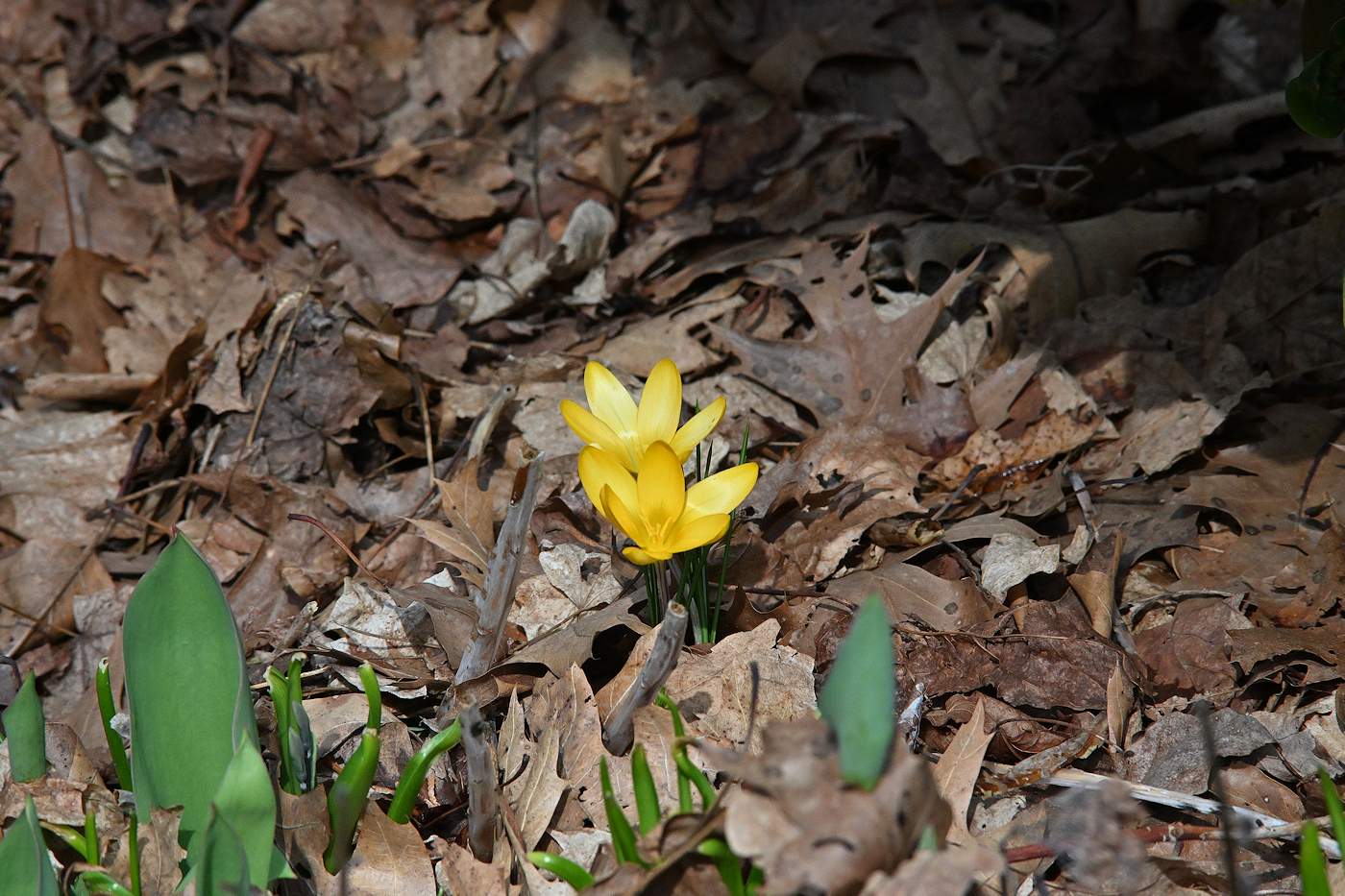
Z MC105 at f/4


Mar 01, 2026 at 05:09 PM
Jman13
Offline
• • • • • •
Upload & Sell: On
p.7 #2 · Nikon Z5II


Cross-post from the Z images thread. With the Z5II this morning:

Z 24-120mm f/4 S:


Viltrox 14mm f/4 Air:


Z 24-120mm f/4 S:


Z 70-180mm f/2.8:


Z 24-120mm f/4 S:


Tamron 16-30mm f/2.8:


Mar 01, 2026 at 06:00 PM
jimmuller
Offline
• • •
Upload & Sell: Off
p.7 #3 · Nikon Z5II


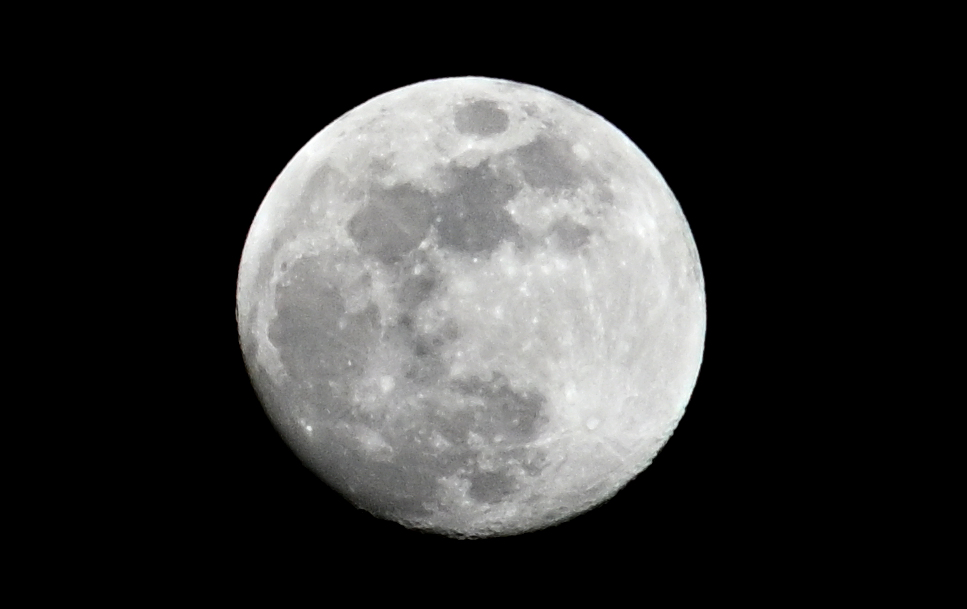
I took this Sunday night, March 1, about 34 hours or so before a lunar eclipse, so the moon is nearly full.

Z5-II w/FTZ, hand-held F-mount 300mm f/4.5 AI-S. Aperture priority, f/5.6, 1/8000 sec, ISO 1250, exposure stepped down -5, center-weighted metering. Everything else was just as I use for most other shots, White Balance Auto0, Picture Control Auto, Active D-Lighting Normal, Image Stabilization On (IBIS only, of course).

Without center-weighted metering and -5 exposure the camera wanted to brighten up the black sky, which blew out all the moon details. I supposed I could have used spot metering. Or Manual Mode but then I'd have to note and lock down shutter and ISO, more stuff I could screw up or forget to reset.

I am astonished at what this camera can do.


Mar 02, 2026 at 06:29 AM
jimmuller
Offline
• • •
Upload & Sell: Off
p.7 #4 · Nikon Z5II


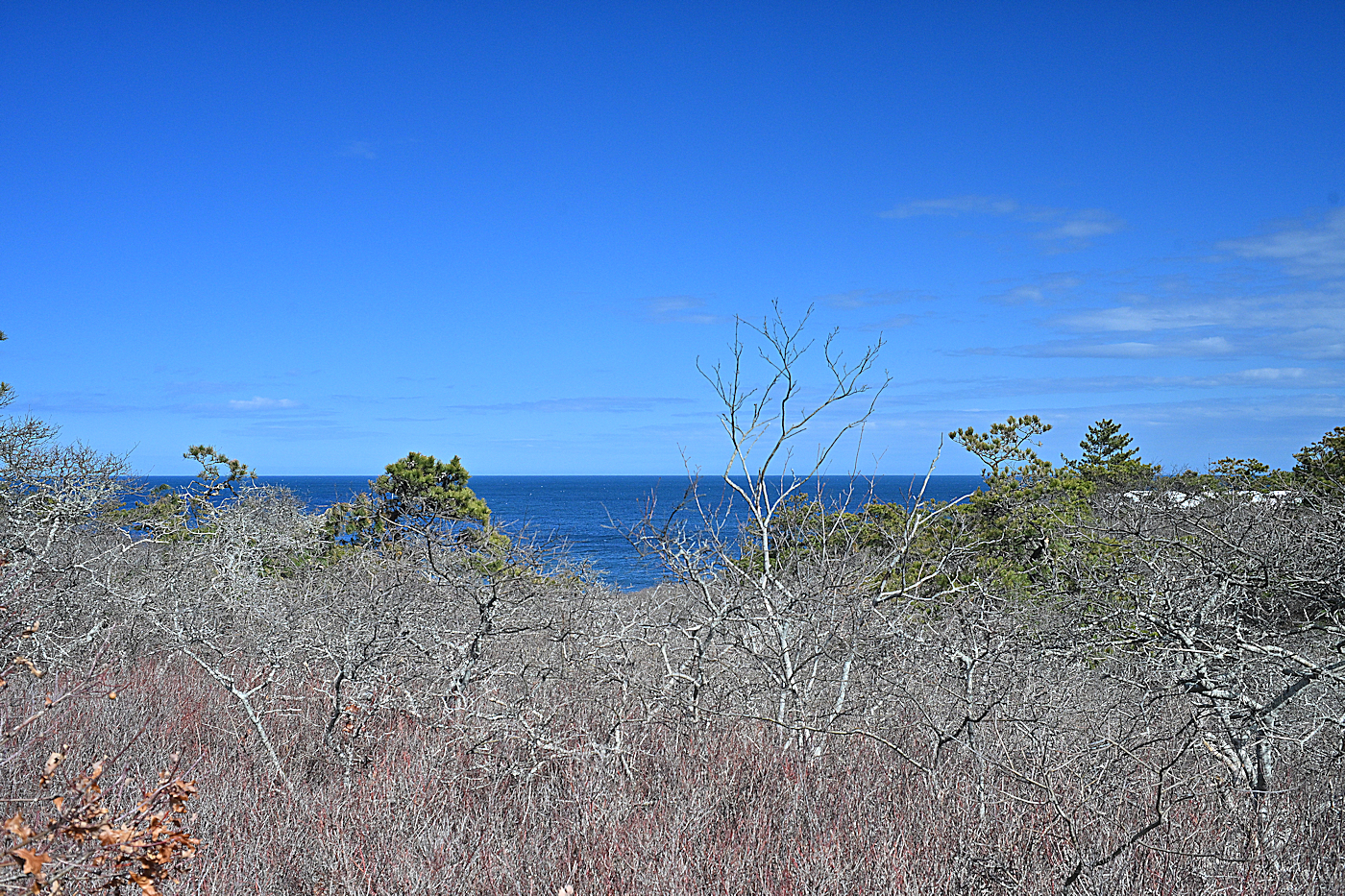
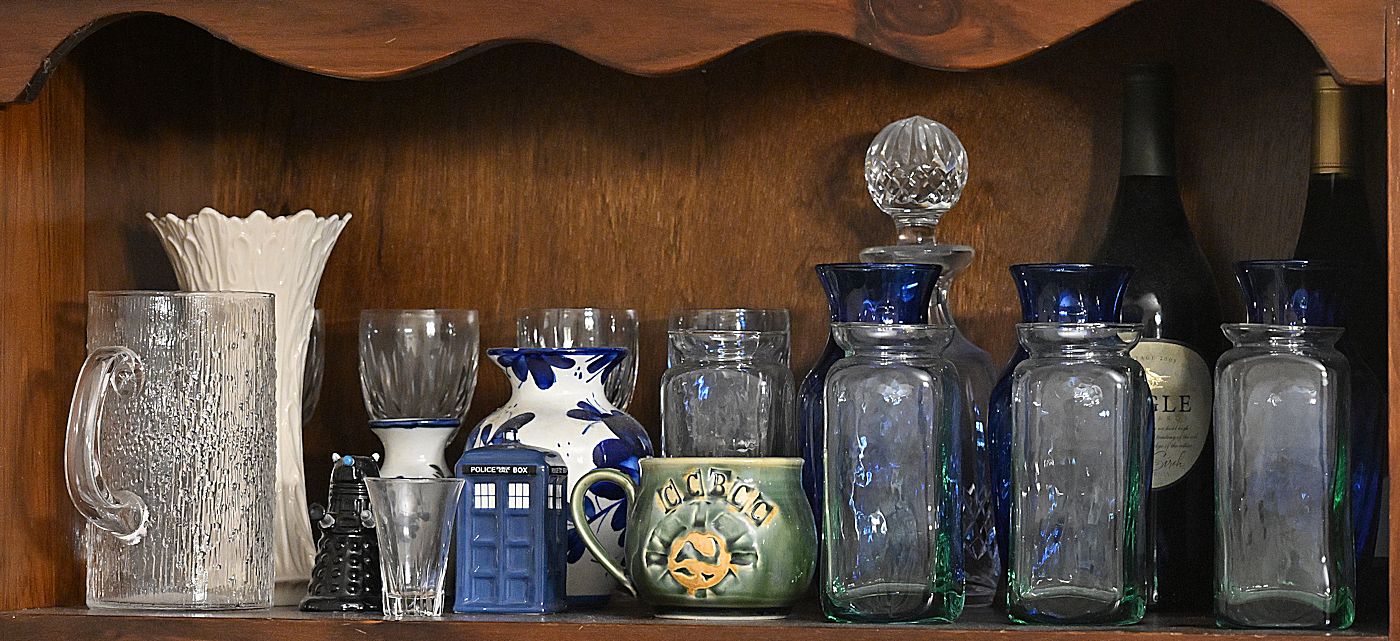
Taken on Pi Day (3.14), Wellfleet , MA

Atlantic Ocean Nikkor PC 105mm f/2.5 (MF)


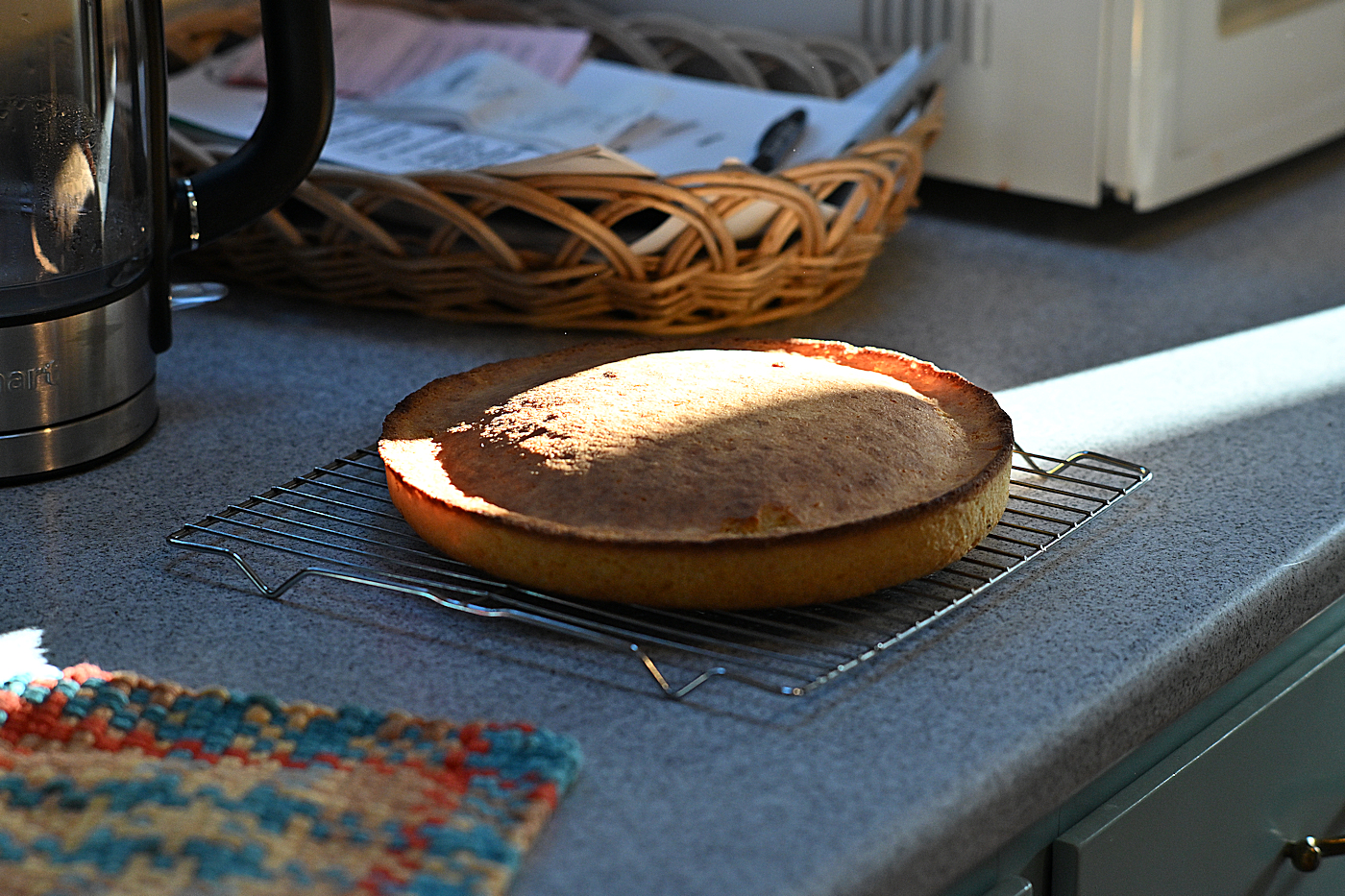
Not Pie but still round so Pi was applicable. Cornbread. After dinner it was more like Pi / 2. Nikkor S Auto 35mm f/2.8 (MF)


Edit: What was I thinking I got the lenses backwards. The Atlantic Ocean shot was with the 35mm, the cornbread with the 105mm. Yeesh. I must've been drinking beer when I posted those.



Mar 16, 2026 at 05:05 AM
jimmuller
Offline
• • •
Upload & Sell: Off
p.7 #5 · Nikon Z5II


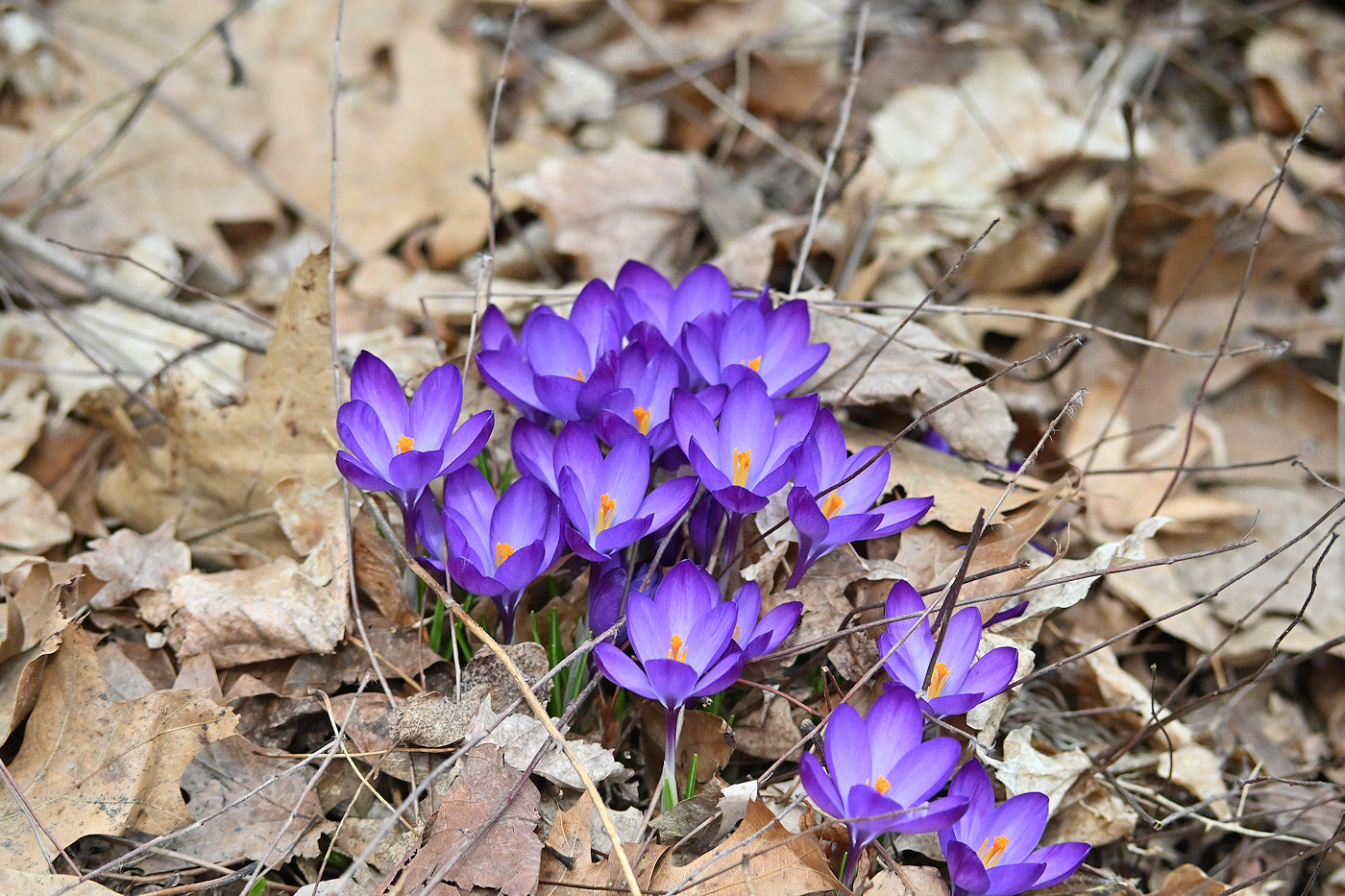
Z5-II w/FTZ, 105mm f/2.5 K


Mar 17, 2026 at 03:41 PM
LostLensCap
Offline
• • •
Upload & Sell: Off
p.7 #6 · Nikon Z5II


Jman13 wrote:
Cross-post from the Z images thread. With the Z5II this morning:

Z 24-120mm f/4 S:
https://www.jordansteele.com/2026/upper_falls_top.jpg

Viltrox 14mm f/4 Air:
https://www.jordansteele.com/2026/devils_bathtub1.jpg

Z 24-120mm f/4 S:
https://www.jordansteele.com/2026/upper_falls_pano1.jpg

Z 70-180mm f/2.8:
https://www.jordansteele.com/2026/devils_bathtub_roots.jpg

Z 24-120mm f/4 S:
https://www.jordansteele.com/2026/upper_falls.jpg

Tamron 16-30mm f/2.8:
https://www.jordansteele.com/2026/devils_bathtub2a.jpg


Nice colors


Mar 17, 2026 at 03:43 PM
jimmuller
Offline
• • •
Upload & Sell: Off
p.7 #7 · Nikon Z5II


This thread needs more pictures!


Mar 20, 2026 at 03:45 PM
RoamingScott
Offline
• • • • • •
Upload & Sell: Off
p.7 #8 · Nikon Z5II


You Z5 II guys might like my Zf setup guide, as it's equally applicable. You might learn about some hidden features too!

https://www.scotttuckerphoto.com/blog/the-ultimate-nikon-zf-and-z5ii-setup-guide


Mar 21, 2026 at 01:14 PM
GravelBen
Offline

Upload & Sell: Off
p.7 #9 · Nikon Z5II


I'm new here but have been lurking a while... here are a few shots with my Z5II.

Z 24-120:

Aurora Australis - 20 Jan 2026 by Ben, on Flickr

Patient cat by Ben, on Flickr

Snowed in by Ben, on Flickr

Z 180-600:

Bellbird / Korimako by Ben, on Flickr

Tui take-off by Ben, on Flickr

Z 20 f/1.8

Whisky Creek by Ben, on Flickr


Mar 24, 2026 at 03:34 PM
jimmuller
Offline
• • •
Upload & Sell: Off
p.7 #10 · Nikon Z5II


GravelBen wrote:
I'm new here but have been lurking a while... here are a few shots with my Z5II.

Z 24-120:

https://live.staticflickr.com/65535/55053096846_62171c3de2_h.jpgAurora Australis - 20 Jan 2026 by Ben, on Flickr

https://live.staticflickr.com/65535/54773317319_d675ebad16_h.jpgPatient cat by Ben, on Flickr

https://live.staticflickr.com/65535/54890721462_b207c1222e_h.jpgSnowed in by Ben, on Flickr

Z 180-600:

https://live.staticflickr.com/65535/55079121461_4f8e57ca43_h.jpgBellbird / Korimako by Ben, on Flickr

https://live.staticflickr.com/65535/55053901262_d5881adace_h.jpgTui take-off by Ben, on Flickr

Z 20 f/1.8

https://live.staticflickr.com/65535/55120442904_80216c53ed_h.jpgWhisky Creek by Ben, on Flickr


Two "w" words:
Welcome and wow! Great pics.


Mar 24, 2026 at 04:20 PM


Search in Used Dept. 

GravelBen
Offline

Upload & Sell: Off
p.7 #11 · Nikon Z5II


jimmuller wrote:
Two "w" words:
Welcome and wow! Great pics.


Thanks!


Mar 25, 2026 at 04:35 AM
Ripolini
Offline
• • • •
Upload & Sell: Off
p.7 #12 · Nikon Z5II


jimmuller wrote:
Two "w" words:
Welcome and wow! Great pics.


+1.
Welcome, and please keep sharing your beautiful photos!


Mar 25, 2026 at 11:45 AM
shinyobject
Offline

Upload & Sell: Off
p.7 #13 · Nikon Z5II


A good price on a new Z5II and 40/2 lens came up locally so I went for it. My XT3 is going to have a big brother!

Now to read the manual while I wait…


Mar 25, 2026 at 11:40 PM
GravelBen
Offline

Upload & Sell: Off
p.7 #14 · Nikon Z5II


shinyobject wrote:
A good price on a new Z5II and 40/2 lens came up locally so I went for it. My XT3 is going to have a big brother!

Now to read the manual while I wait…


Enjoy!

I have an XT3 too, along with a D7200 - until getting the Z5II I was mostly using the XT3 for landscapes and hiking etc and the D7200 for wildlife and motorsport.

However I've barely touched either of them since getting the Z5II, it is really in another league for most things.

So I'm planning to sell off my Fuji kit, but might still keep the XT3 (or old XT1 I never got around to selling when I bought the XT3) with 23mm f/2 as a light compact option.


Mar 26, 2026 at 12:43 AM
shinyobject
Offline

Upload & Sell: Off
p.7 #15 · Nikon Z5II


GravelBen wrote:
Enjoy!

I have an XT3 too, along with a D7200 - until getting the Z5II I was mostly using the XT3 for landscapes and hiking etc and the D7200 for wildlife and motorsport.

However I've barely touched either of them since getting the Z5II, it is really in another league for most things.

So I'm planning to sell off my Fuji kit, but might still keep the XT3 (or old XT1 I never got around to selling when I bought the XT3) with 23mm f/2 as a light compact option.


Thanks! My plan with the Nikon in time is to purchase a useful zoom like the 24-120/4 or perhaps the Tamron 35-100/2.8, which looks like it would suit my usual style pretty well, and to get into the Voigtländer offerings. The 40/2 seems like a pretty handy little thing in the meantime that will suit the way I usually shoot. (I do very much like the look of the new Nikon 24-70 and 70-200 lenses, as well, but since I’m most comfortable with the 50-135ish range normally, I think I’d get annoyed with those lenses for personal use on a single camera as I’d get sick of lens swapping while out and about.)

I’m very much looking forward to trying the much-vaunted autofocus system and to playing with the Nikon JPEG engine, which seems capable even if it’s not all that popular. If I can, I’ll cancel my adobe subscription, since what I mostly do with my personal shooting now is convert family snaps to black and white and adjust the contrast and exposure, perhaps cropping if I really have to.

I too am planning to keep my XT3 as it still works well and it brings joy in its own way. I’ve captured and made a lot of memories on it over the last decade-ish.


Mar 26, 2026 at 03:21 AM
jimmuller
Offline
• • •
Upload & Sell: Off
p.7 #16 · Nikon Z5II


200mm f/4.0 Nikkor Q
(Also posted in the MFNG thread.)


Mar 26, 2026 at 02:17 PM
Jman13
Offline
• • • • • •
Upload & Sell: On
p.7 #17 · Nikon Z5II


My son has been cast in two upcoming musicals, and he needed a headshot on short notice. This is with the Z5 II and Sirui 85mm f/1.4:


Mar 26, 2026 at 03:13 PM
Seabassius
Offline
• • •
Upload & Sell: On
p.7 #18 · Nikon Z5II


Cross post from the 40mm thread

Kids are off on a long spring break trip so my wife and I hopped on a plane to Austin. Not the right lens for the bats at Congress St bridge but lot of cropping helps.


Mar 28, 2026 at 09:42 AM
shinyobject
Offline

Upload & Sell: Off
p.7 #19 · Nikon Z5II


If anyone is interested in my first impressions of the Z5ii coming from Fuji:

Things I’ve enjoyed about the Z5ii:

- Autofocus is noticeably quick and the various tracking modes reasonably intuitive; I haven’t had to use the joystick very often to position a focus box, which is nice.
- Single point AF is very good;
- Continuous shooting is flexible and reliable, and even ‘spray and pray’ shooting, which I never did before, returns more usable images than I expected;
- JPEG engine (picture control) keeps up with what Fuji offers and it allows easy downloading and sharing of presets with others;
- Grip is ergonomic;
- manual focus experience is nice even with a focus-by-wire lens, as subject detection will let you quickly magnify the EVF on what you’ve told it is the sort of thing you want to photograph;
- this is not Z5ii-specific, but I’ve always wanted a full-frame sensor to play with, and it is certainly scratches a certain itch to be able to blow out the background a little more easily than otherwise;
- similarly, IBIS is a treat that I very quickly took for granted;
- also not specific to the Z5ii, it’s nice to be able to plug the camera into the usb cable and transfer straight to the PC rather than faffing with SD cards.

Things I’m getting used to:

These are not cons, just things I’m having to learn about.

- the i menu is a useful way to access many settings, but I’m having trouble filling it up with things that I care about beyond autofocus and metering settings. I’m happy to take suggestions for useful things to put here (my shooting tends to be candid shots of family and events, including some sports sometimes).
- The AF-ON button, if I read some online chatter rightly, can be configured to have a different focus type than the half-push of the shutter button: eg. 3D tracking on the AF-ON button and Wide zone on the half push. However, I haven’t been able to figure this one out myself, even with the internet’s help (so far). I am fine with not being able to do this, by the way, if I’ve formed the wrong impression, but perhaps someone can tell me if I’ve missed something?
- I need to learn more about how to get the most out of automatic subject detection modes, as my best photos so far have been using other settings.

About Fuji: it’s worth noting that my Fuji experience isn’t fully up-to-date. I’ve shot with an X-T3 for the last several years and haven’t tried the later Fuji cameras. It’s still a fine camera, even though it’s a bit dated vs the Z5ii. It has the advantage of being smaller and lighter, and I like the menu system layout (even though that might be a familiarity bias). I can see myself getting an X-E5 or similar one day so that I can use my beloved XF 35/2 on a more modern body.

Finally, I think Fuji’s marketing has done super well to convince people that their jpeg engine is far better than other people’s. I like their jpegs, to be sure, and have several prints from SOOC jpegs that I treasure. But after using the Nikon picture control engine, while I do think Fuji might be a bit more intuitive in some ways, I don’t think Fuji jpegs are streets ahead (though if you care about film grain, you need the Nikon ZF in Nikon-land). Where Fuji does well is in linking the different jpeg algorithms they offer to film types, which gives them a certain legitimacy. I enjoyed Scott Tucker’s Nikon picture control settings for this reason. I am not sure how Nikon could deal with IP issues if they were to go this route themselves, but I don’t think the name ‘Picture Control’ sells the capability of their cameras.


Mar 29, 2026 at 04:05 AM
jimmuller
Offline
• • •
Upload & Sell: Off
p.7 #20 · Nikon Z5II


shinyobject wrote:
If anyone is interested in my first impressions of the Z5ii coming from Fuji:
...


Nice review.

I agree about the ergonomics, but then, I have no experience with any other full-frame digital camera, only with "brick-shaped" film cameras from the old days. My Z5ii experience is with vintage F-mount manual-focus lenses only. Yourself and other reviewers praise the AF speed and accuracy but I can neither confirm nor deny it. I can say that switching between matrix and center-weighted metering works.

About AF-ON, I never paid attention because I don't have AF but according to the pdf manual the AF-ON button can be modified in Custom Setting a6.

Agreed that the USB cable is great for both downloading pics (when camera is on) and recharging the battery (when camera is off). I usually plug it into my laptop, switch the camera on, extract my latest pics with cut&paste, then switch the camera off and let it charge while I go through those new pics.

There are other ways to extract pics that are slower but more convenient if you don't have too many pics and aren't interested in battery charge at that time. It took me a while but I figured out how to transfer pics from camera to laptop by wi-fi. It's actually easy and convenient. But you need to see the overview to understand it. I'll summarize at the end of this note.

The camera has a built-in wi-fi hotspot with a recognizable name like Nikon-Z5-something-or-other. You turn it on from a menu item, connect your computer to it, then push your pics from the camera. (I push them from a menu item but it can be automated. Then I always turn the hotspot off.) It works by connecting to a small server program on the computer which you have to set up once in addition to setting up the wi-fi details.

First, under the Menu list for Connections select Connect To Computer (and maybe then Direct To Computer, it's been a while since I did it). Under Network Settings you will need to set up a wi-fi connection profile with password on the camera so your computer can connect to it. If you get it wrong you can delete it with the delete button. Once you create a profile you don't need to do it again. You just go to Connect To Computer and select that connection profile and push Okay. That turns on the camera's wi-fi hotspot and starts a client program waiting for a computer to try to connect.

Second, on the computer you go to the wi-fi connection icon/option/whatever on the laptop. You should see the camera listed as an available connection point. Select that and connect. On the first time, run Nikon's Wireless Transmitter Utility on the computer. When it asks for a transfer type, select Direct From Camera. It will ask for a storage location on the computer. It will ask for a pairing code displayed on the camera. That works like a Bluetooth pairing. Once you've done that pairing you don't need to do it again; just select that connection on the camera and the handshaking happens automatically. When the computer and camera are talking to each other the connection icon on the camera will show green indicating success. Occasionally the connection will be slow to come up or will fail even after the wi-fi connection is established. I think this is because Windoze is off in the daisies so its server end never gets the memo that there is work to be done.

Now on the camera you just push the pics. You can do it either of two ways. Under Options there is a Transfer Folder option which does a batch transfer. Or you can push the > button to review the pics, and as each pic is displayed touch the i (info) button then touch Select For Transfer. This puts that pic in a queue and displays the next pic. There is also a Priority Transfer option which puts it at the front of the queue. If you aren't connected, the selected pics go into a queue to get uploaded as soon as you connect.

Under the transfer options there is a choice for Auto-Upload . I turned it on so that pics are transferred as soon as they are selected once you are connected, but I don't usually queue them so it has no effect. There is also Delete After Upload which I leave on so that pics are cleared off the camera once the computer has them.

You can watch for the end of transfer because the SD Card Activity LED stops blinking when all is done. When you then close the connection on the camera the computer will open its destination folder so you can see what you got.

Summary: You must first have created a camera wi-fi connection point for the computer to see, and then a profile on the camera and paired it to the computer with the Transmitter Utility. Once that is done, you don't need to repeat.

Select Connect To Computer on the camera. Select your profile, which turns on the wi-fi hotspot.
On the computer connect to the camera's wi-fi hotspot.
On the camera transfer an entire folder under Options or view individual pics by touching i and selecting Transfer. Or let them transfer automatically if you had queued them.

When done, select Close Connection on the camera.


Mar 29, 2026 at 06:00 AM
1       2       3              6              8              11       12       end


FM Forums | Nikon Forum | Join Upload & Sell

1       2       3              6              8              11       12       end


You are not logged in. Login or Register