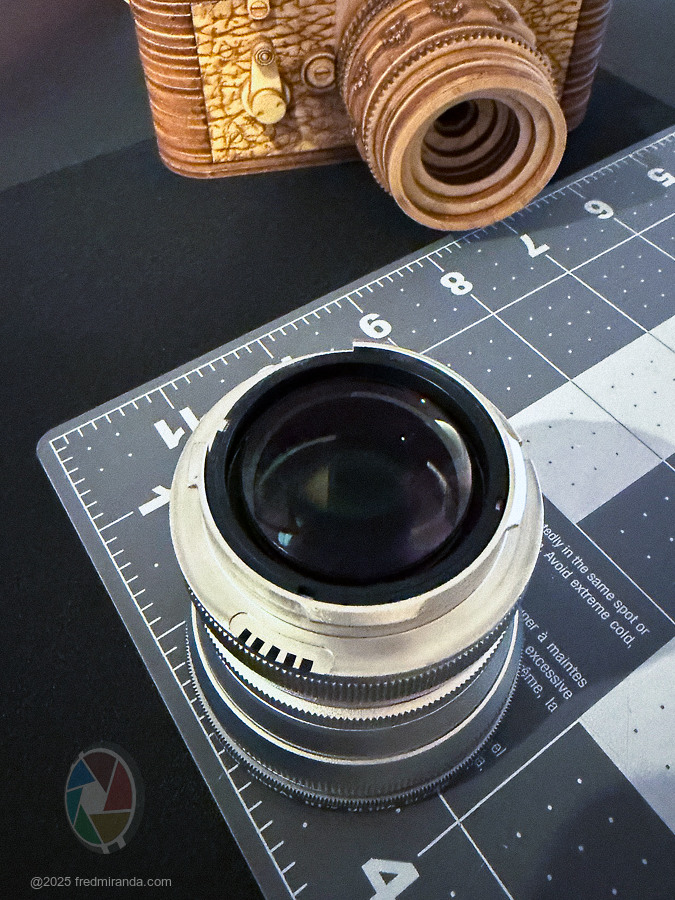
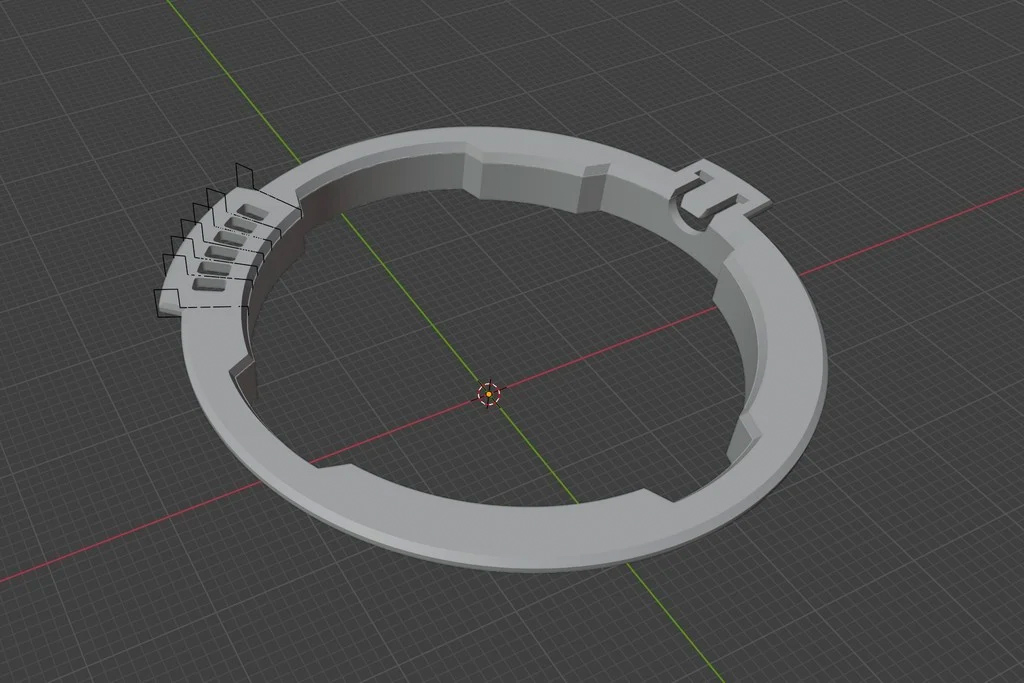
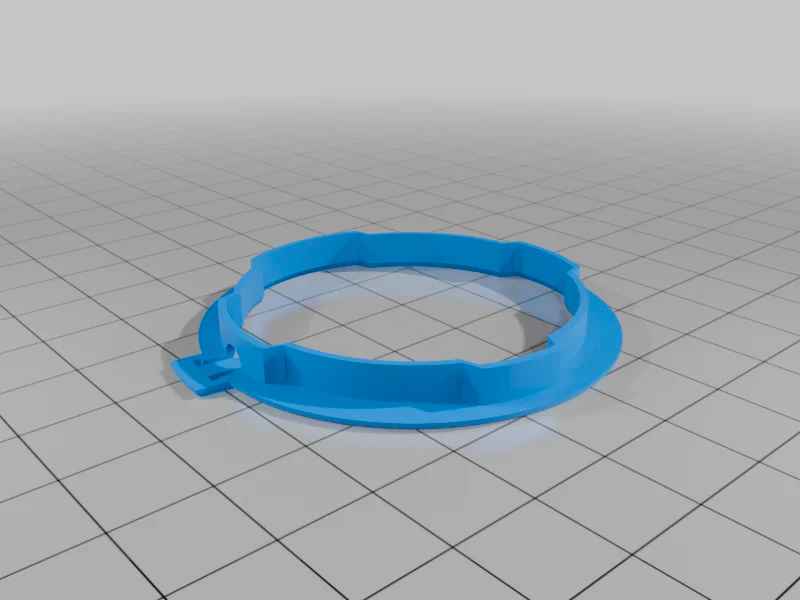
Has anyone here managed to get 6-bit coding with the template that the picky M240 actually accepts? The sensor in the bayonet of the 240 models is really a diva… precisely milled and filled with paint codes are accepted immediately. But hand-painted ones – eben with a template – … I haven’t succeeded with those yet.
gammarART wrote:
Has anyone here managed to get 6-bit coding with the template that the picky M240 actually accepts? The sensor in the bayonet of the 240 models is really a diva… precisely milled and filled with paint codes are accepted immediately. But hand-painted ones – eben with a template – … I haven’t succeeded with those yet.
For me it works with the template on the Voigtlander 35mm f1.5 and 75mm f1.9. But the MP240 doesn’t read the code I painted on the Solinon 18mm.. maybe I just have to try it again and/or add the white bits as well.
stgrove wrote:
To 6 bit code the LLL 50/2.0 Elcan copy should I use: 11817 codes as 010111?
Suggestions. Thanks.
P.S.--Also does anyone has the latest list of Leica 6 bit codes? Thought I had one, but can no longer find it.
You may already know this, but like original Leica lenses, the LLL 50/2 Elcan can't really be coded with paint since it doesn't have the recessed 6-bit indentations. If you apply black paint using a 6-bit coding tool, it will just rub off when you mount the lens on the camera. Maybe not immediately, but over time it will wear away and, even worse, the paint could end up transferring to the camera's code reader.
Fred Miranda wrote:
You may already know this, but like original Leica lenses, the LLL 50/2 Elcan can't really be coded with paint since it doesn't have the recessed 6-bit indentations
Or if you do not mind being "slightly destructive", drill holes with a Dremel on a workstation. I did both.
I avoid the dremel option as much as possible of course: getting clean holes is not easy but it works.
Fred Miranda wrote:
You may already know this, but like original Leica lenses, the LLL 50/2 Elcan can't really be coded with paint since it doesn't have the recessed 6-bit indentations. If you apply black paint using a 6-bit coding tool, it will just rub off when you mount the lens on the camera. Maybe not immediately, but over time it will wear away and, even worse, the paint could end up transferring to the camera's code reader.
Good point about paint transference to the code reader.
DAG has provided indented rings when asked if he would 6 bit code an LLL lens for me. At the time he needed 10 requests before his supplier would make them for him..
pmeheut wrote:
You can buy some 6 bit replacement flanges like these: https://www.ebay.com/itm/293636207322. Not sure if it works with the LLL though.
Or if you do not mind being "slightly destructive", drill holes with a Dremel on a workstation. I did both.
I avoid the dremel option as much as possible of course: getting clean holes is not easy but it works.
I would be careful with those. I tried them before and the tolerances were pretty poor. In some cases they were tight enough that I was worried about stressing the camera mount or even getting the lens stuck.
The thickness may be different from the original Leica bayonet, which means the flange distance could change. When that happens the RF calibration and infinity focus may no longer be accurate.
In the end, it is usually more trouble than it’s worth just to add a 6-bit code. I’ve learned to leave my Leica lenses and Light Lens Lab replicas uncoded unless the coding was done by Leica originally, through Leica's service, or by someone like DAG. It's also not cheap...typically runs $300 or more. I'd do on a expensive original Leica but I don't know if it is worth the $$ to do on a replica lens. Don, at DAG coded my Leica 50mm f/1 Noctilux and also made sure the flange distance was accurate with the replacement mount.
I just coded a bunch of my Voigtlander and MS Optics lenses today, and it was a breeze with @yukosteel's tool. My CV 40/1.2 ASPH got coded as a Leica 50/1.2 ASPH (the closest match) and now the vignetting correction straight out of the camera is perfect, at least to me.
Fred Miranda wrote:
I would be careful with those. I tried them before and the tolerances were pretty poor.
Bought them for years from the same provider, a very nice guy in China. We communicate by email now so I'm not sure what his ebay pseudo is and it has always been perfect: no change in calibration before/after.
pmeheut wrote:
Bought them for years from the same provider, a very nice guy in China. We communicate by email now so I'm not sure what his ebay pseudo is and it has always been perfect: no change in calibration before/after.
My goal is just to help anyone reading this by sharing my experience. I see no reason why you wouldn't be doing the same, so at least my conscience is clear.
Fred Miranda wrote:
My goal is just to help anyone reading this by sharing my experience. I see no reason why you wouldn't be doing the same, so at least my conscience is clear.
Indeed. We had difference experiences, we share them and if a reader want to know more, he can ask.
And I just give options: I do not recommend to do what I do unless you know what you do
stgrove wrote:
Asked for quote on the latest VD I downloaded. Assume that was correct to go for the latest Version.
I used the "VD" version for this one. The holes are larger on that version, which makes it easier to apply the paint with a fine tip pen. It's a MS Optics 50/1 ISM and it's coded to Leica 50/1 Noct. It would be nice to find a way to create that small indentation for the code on my Leica lenses as well.
Fred Miranda wrote:
I used the "VD" version for this one. The holes are larger on that version, which makes it easier to apply the paint with a fine tip pen. It's a MS Optics 50/1 ISM and it's coded to Leica 50/1 Noct.
Thanks. Xometry said they needed to give me a quote but so far after a day no quote. Solved order underway.
You are welcome! This O-shaped model is less known comparing to C-shaped versions, yet it has ~400+ downloads across 3D print platforms I posted it and numerous people reported good results coding their Voigtlanders.
I'm not very active with 3D-modeling of photo gear these days, but for FM members ready to dedicate extra time if any existing model tuning is needed, just let me know.
Yesterday I printed the newer "V5C4" version and it fits great. From what I understand, it works by mounting onto the lens and then pressing the pin down to lock it in place.
I’ve been using the 'V2D" version for a while, but the V5C4 seems more stable (both are accurate though). Once the pin is pressed down, the tool locks in place with no chance of moving, which makes it easier to apply the paint with a pen. To remove the tool, there's an outer frame that, when pressed down, lifts the pin and allows you to unmount it. Very cool design.