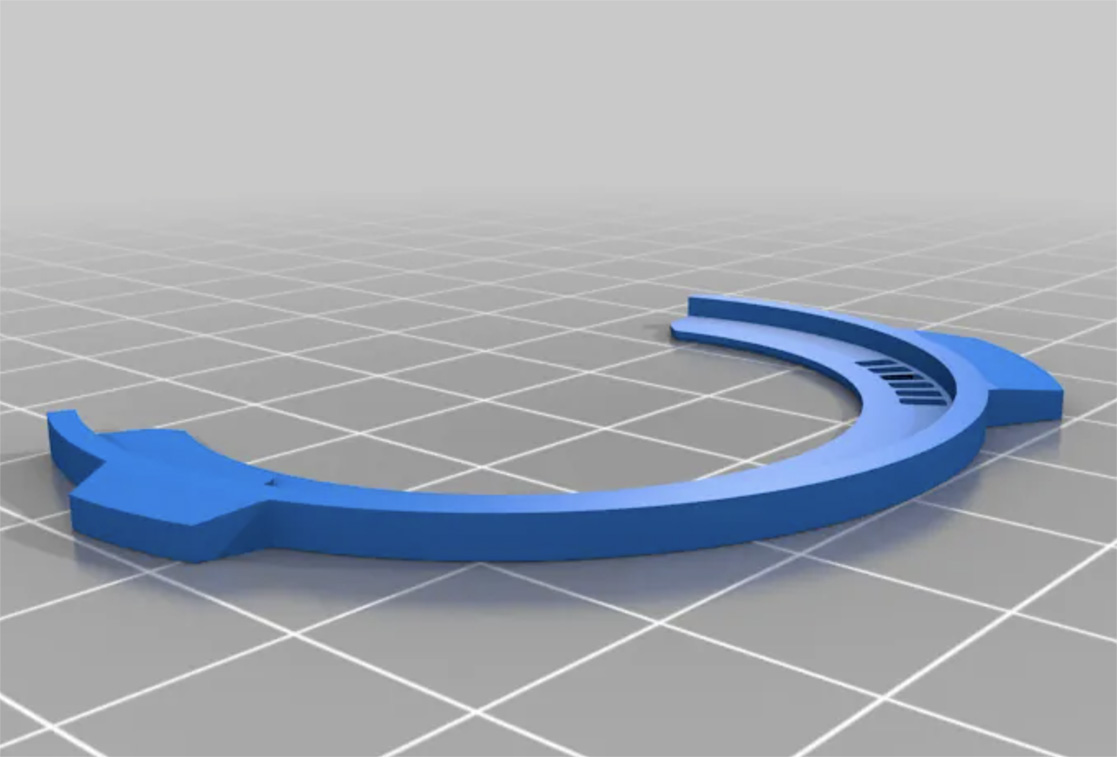
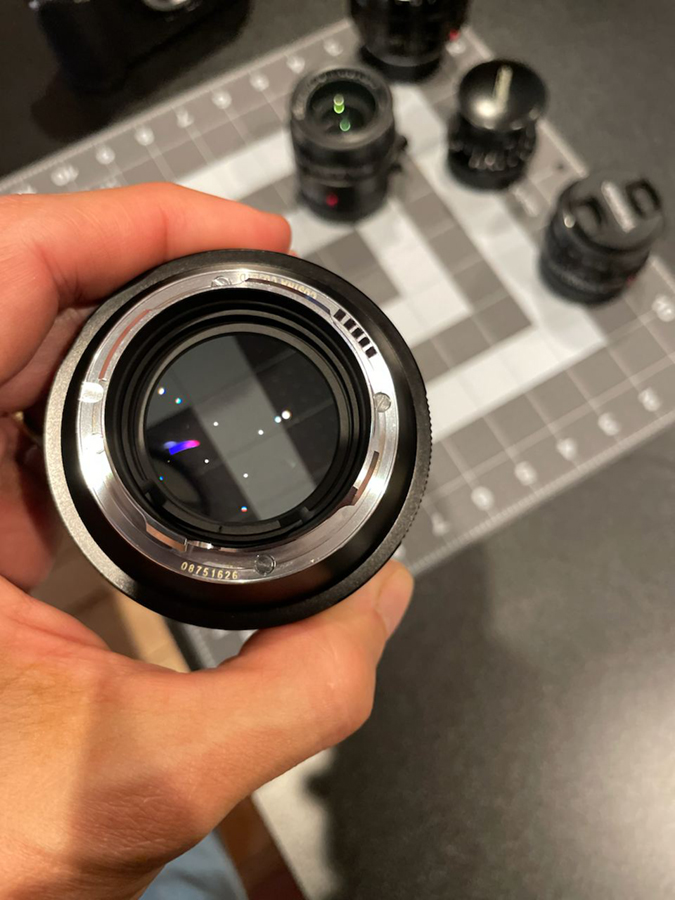
I've experimented with several 6-bit code templates and finally found the most precise and durable one to date. This template must be 3D printed, so if you have access to a 3D printer or know someone who does, I highly recommend it.
This template, meticulously crafted by @yukosteel from scratch, perfectly matches my Leica 6-bit coded lenses, as well as previously coded Voigtlander and Zeiss M-lenses.
Gotta find a way to print this. Found a company online called Xometry.com that will print and ship via Fedex 2 day for $6.
Ordered a copy and if anyone is interested in the success of this source, say so and I'll update the thread with my results. Should get the results on Friday.
psyclism wrote:
Gotta find a way to print this. Found a company online called Xometry.com that will print and ship via Fedex 2 day for $6.
Ordered a copy and if anyone is interested in the success of this source, say so and I'll update the thread with my results. Should get the results on Friday.
I uploaded the file that @yukosteel@ generously shared with us to Xometry.com on Friday 4/26/24. Creating the order was simple and straightforward. The cost for the part was $8.50 + $.51 tax for a total cost of $9.01. This included FedEx Priority Overnight Shipping
The part was printed on 4/30/24 and shipped the same day. It was delivered this morning.
What about the printed piece? It's perfect! I placed it on a 28mm Elmarit to check alignment of the codes and it is spot on perfect.
@yukosteel@ thanks for taking the time to design the part and for sharing it with us. And a great experience with Xometry.com!
Looks like they printed template with quite good quality and precision. Thanks to Fred for testing my first draft on his 3D printer and Leica lens, which lead to fine tuning of the mount lock pin for more precise fit.
Thank you to all who have contributed to make this possible, and provide this information for our use!
The best thing about this template is that it will last a long time, and you can paint the lens' mount while it's attached. Steve @1bwana1 very kindly produced a hard paper one that worked great, but unfortunately, paper has its limitations with longevity.
I don't regret buying a 3D printer as suggested by Yuri. I can print so many accessories for photography, and it's fun to learn to design your own accessories like filter, adapters, etc.. For $200, it's a lot of fun!
Fred Miranda wrote:
The best thing about this template is that it will last a long time, and you can paint the lens' mount while it's attached. Steve @1bwana1@ very kindly produced a hard paper one that worked great, but unfortunately, paper has its limitations with longevity.
I don't regret buying a 3D printer as suggested by Yuri. I can print so many accessories for photography, and it's fun to learn to design your own accessories like filter, adapters, etc.. For $200, it's a lot of fun!
Would you mind to share the 3D printer model?
Thanks
I tried the Sharpie oil based pen this weekend, and those "worked", but man was it a difficult process. And messy. The paint is very fragile and can scratch/wipe off easily. I'm going to order one of these Uniball pens instead.
What's different between these Uniball pens and a standard Sharpie?
Fred Miranda wrote:
Yes, that's the pen I recommend as well. The matte black paint is recognized by the Leica 6-bit reader.
psyclism wrote:
I tried the Sharpie oil based pen this weekend, and those "worked", but man was it a difficult process. And messy. The paint is very fragile and can scratch/wipe off easily. I'm going to order one of these Uniball pens instead.
What's different between these Uniball pens and a standard Sharpie?
The regular Sharpie black has a bit of shine, reflecting light onto the Leica 6-bit reader, which makes it not work properly. On the other hand, the Uniball's black is flat and matches Leica's coding black. I use a ultra-thin Sharpie to draw the square shape's outline, then fill it in with the Uniball for a clean finish.
Fred Miranda wrote:
The regular Sharpie black has a bit of shine, reflecting light onto the Leica 6-bit reader, which makes it not work properly. On the other hand, the Uniball's black is flat and matches Leica's coding black. I use a ultra-thin Sharpie to draw the square shape's outline, then fill it in with the Uniball for a clean finish.
i read that also Tamiya sharpies are quite good but maybe more expensive.